Bodgers – RPM & KPH

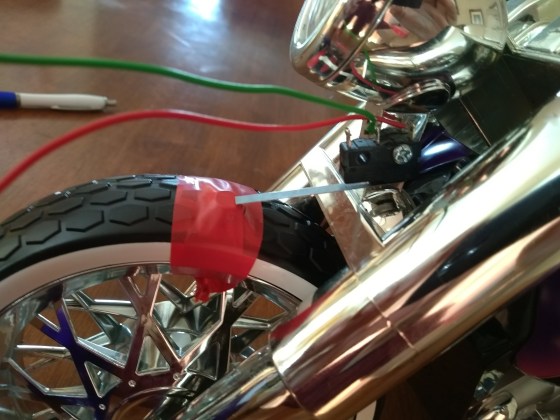
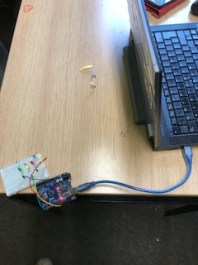
Last Saturday we had a look at how we might figure out how far and how fast a bike is going using a Raspberry Pi. We used a very basic set up with just a micro-switch attached to a toy trike with a little nut taped to the front wheel, each time the wheel rotates the nut would “click” the micro-switch.IMG_20180214_122408

We would need to use a reed switch or a hall effect sensor and a magnet attached to the wheel if we were to use this on a real bike.

We started of our coding by looking at the time.time() function. This function returns the number of seconds, in decimal form, since 01 January 1970. If we want to time an event all we have to do is use time.time() to get the start time and use it again to get the end time and then subtract the the start time from the end time.

We used this to get the the amount time it takes to do one rotation. Now we want to find out how many rotations we have per minute or RPM (revolutions per minute). As our result is in seconds the easiest thing to do is calculate revs per second so we divide 1 by the time it takes to do 1 rotation and then multiply the answer by 60 to get RPM.

Now we wanted to get KPH(kilometres per hour) so first we measured the circumference of the wheel and found it was 50cm or 0.5 Metres. We then calculated metres per minute by multiplying our RPM by 0.5 and we then multiplied this by 1000 to get KPH.

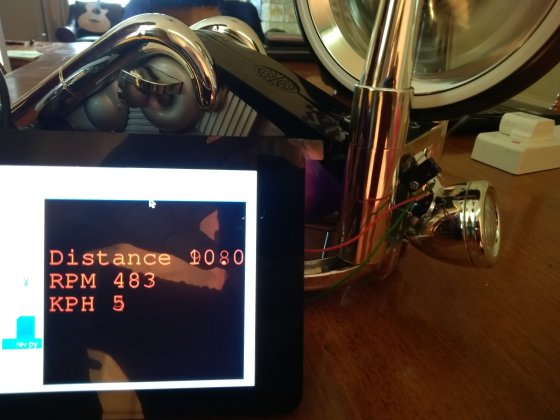
Here’s a picture of what our results could look like when displayed using Pygame. We will look at Pygame later on as it’s an excellent way of displaying information.IMG_20180214_122722

See you all after the break.

Declan, Dave and Alaidh

Week 4 – 2018 Explorers – Scrolling Backgrounds

Hi everyone,

Thank you all for coming again on Saturday and welcome to our new people!
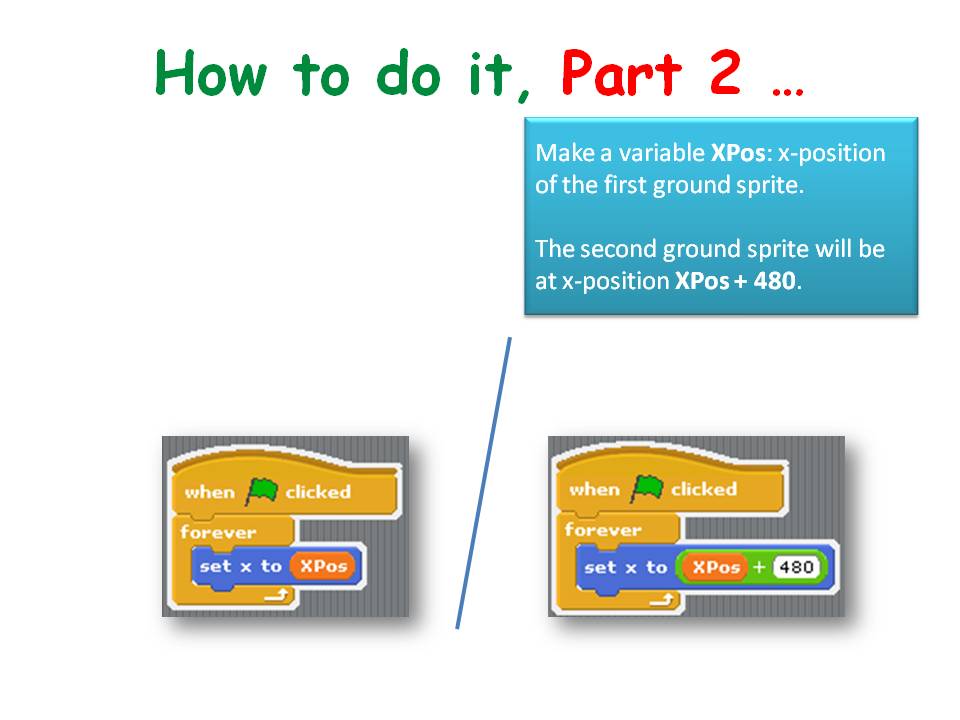
This week we looked at some of the elements we will use in A Mario game we will make in a couple of weeks time.  We will use scrolling of objects in the background to achieve movement rather than making the Sprite itself move as we would normally do.
It can be a difficult concept to grasp for the younger ones, but we will go through it again before we make the Mario game.

Firstly we select our Sprite and we decided we would only move left and right.

We then had to create some Backgrounds. NOTE: EACH BACKGROUND IS A SPRITE. You do not create it as you normally would.


I have put the game on the Scratch Website http://www.scratch.mit.edu. Login with the User name and Password in the Notes Below.

Here are this weeks notes in PDF CDA-S7-Week 4-Scrolling.PDF

See you all on Saturday, we will do a new game that I think you will all like and maybe a little competitive!!!

Martha

Bodgers – New Kit & New Projects

Hello again Everyone.

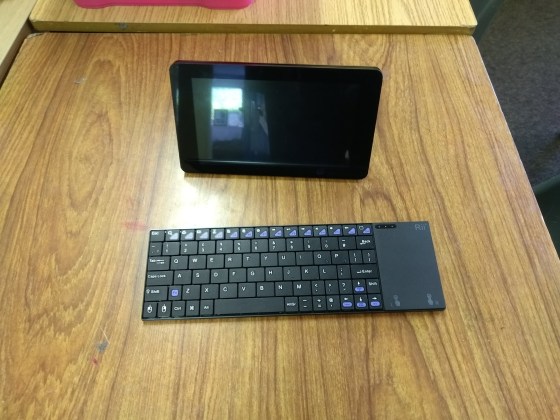
Last week in the Bodgers group we began by looking at our new keyboards and Touchscreens. These will allow us to easily design touch based projects and projects that need a monitor. They will also be invaluable at the start of next years sessions as we can get our code on the Raspberry Pi straight away without any need to connect our laptops.

IMG_20180203_140614

We also started planning our next project with a short brainstorming session and we have a couple of ideas we will develop further this week.


See you on Saturday.

Declan, Dave and Alaidh

Creators: Snake

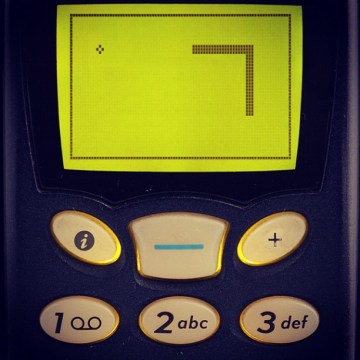
This week we looked at creating a user-steerable snake in the style of the classic phone game.

8185657641_2761c2acd2_z

Image from James Hamilton-Martin, Flickr

Things we need

The snakes head moves and the rest of the snake’s body is made up of places the head’s already been, up to a certain point. For this we use a JavaScript array (we’ve also called it a list at times).

We don’t want the snake’s length to grow indefinitely, so we have a maximum length. Once the list of stored locations gets larger than this, we use the JavaScript splice() command to remove the first (oldest) element from the list.

Direction and turning

Screen Shot 2018-02-06 at 22.59.28

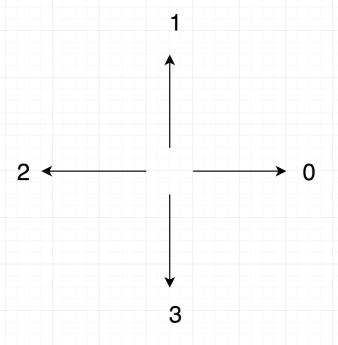
We assign numbers to represent directions on the screen. Zero is right, one is up, two is left and three is down. Note then that if the snake is heading right (in the screen sense) and turns left it goes to up (in the screen sense); direction goes from zero to one. Similarly, if going up (in the screen sense) and it turns left then it goes to left (in the screen sense).

Generally then we note that turning to the left makes the direction number get bigger while turning to the right makes it get smaller. This rule hold until we get to a number bigger than three or smaller than zero; these make no sense. If direction is at zero and the snake goes right, we set direction to three. Similarly, if direction is at three and we turn left, we set direction to zero.

Getting this week’s code

As always, all the code from our Creator group can be found on our GitHub repository.

Hackers – Remote Controls for Our Bots!

Remotecontrols

In the Hackers group this week, we took a large step forward in our Project SABRE (Small Autonomous Battling Robotic Entities), when we started working with remote controllers for our robots.

Components

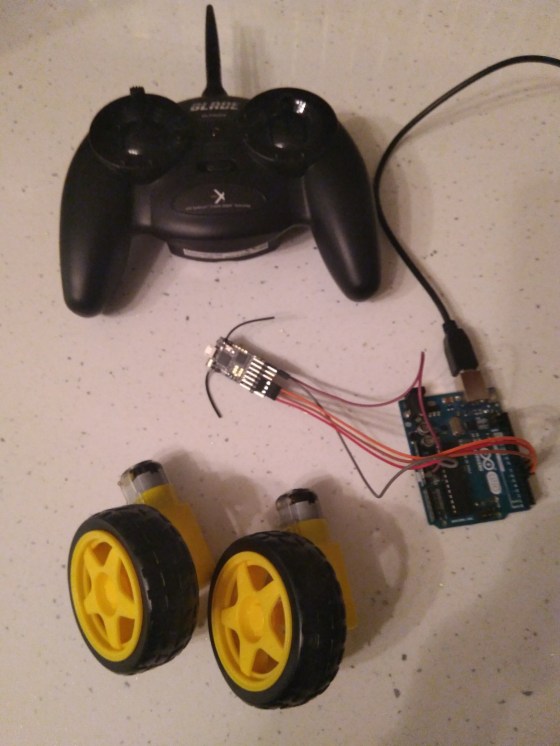
From what the group has read, it looks like the most widely-used controllers are Spektrum-compatible DSMX or DSM2 ones. Therefore, we bought 3x Lemon RX DSMX/DSM2 receivers and one MLP4DSM Blade transmitter (as shown in the photo).

Connecting to the Arduino

Pins on the receiver are simply connected to digital pins on the Arduino.

To program the Arduino to read the receiver, this code has been cross-referenced from other forums: https://www.sparkfun.com/tutorials/348

According to the comments, while this works, you should use interrupt-driven code.

This StackExchange post has a good list of possible references:

https://robotics.stackexchange.com/questions/1207/read-multiple-channels-of-rx-tx-with-arduino

There was a lot of excitement when people were able move the joystick on the transmitter and have it change the value being printed out in the Arduino console!

Bodgers – Basic Electronics

Hello again Everyone.

I was away this weekend so Dave looked after the group.

He covered some basic electronics theory such as Ohms Law, how we use resistors in our circuits to protect other components and how to wire up an LED. He also helped the group build a simple traffic light circuit controlled by an Arduino which they then programmed.

The Raspberry Pi Foundation have announced that they are not running the Pioneers Challenge this year and are instead concentrating on the Coolest Projects. This means that Coolest Projects is now open to Code Club and Raspberry Jam members. There will be a UK Coolest Projects in April in London and Coolest Projects in Dublin will now be called Coolest Projects International. See more info here.

We have two sessions before the mid-term break so we will concentrate on coming up with ideas for our next projects and how we might implement these ideas and that will leave us a couple of weeks to get components etc. organized.

See you all next week.

Declan, Dave and Alaidh.


Hackers – Building Battling Bots for Project SABRE!

projectplan

In recent weeks in the Hackers group, we have been refining our plans for Project SABRE (Small Autonomous Battling Robotic Entities).

Our mission for Project SABRE is to build “battlebots” that include some autonomous features. While there are many kits available for purchase, our two teams of hackers are designing and building their bots from scratch, identifying and sourcing all components ourselves, 3D printing bodies of their own designs, and programming everything themselves. Even the mentors are hands-off, helping mainly with project planning and purchasing, but not designing or making.

The main components required are:

  • 2 or 4 motors with wheels or tracks
  • Battery packs and chargers (salvaged from old toys)
  • An Arduino
  • A motor driver board or chip — these work just like the transistor circuit that we experimented with previously, but can control up to 4 motors and drive each one forwards or backwards: https://coderdojoathenry.org/2017/11/22/hackers-a-joule-thief-and-controlling-motors/
  • A servo motor if needed for a flipper arm
  • A 2.4 GHz radio transmitter and receiver

Stay tuned as the work continues in the coming weeks!