Scratch Advanced – Week 1 – Calculator.

Hi all and welcome back to what we hope will be an exciting year in Coder Dojo Athenry.

We will be using Scratch 2 this year. So the first thing that we need to do is install it.

There are two Applications that you need to install:

1. AdobeAir

2. Scratch2

I will have all the Versions that I can find on USB, which should cover both Windows and Mac. I have installed the Windows version, so I know that one works. I won’t have tested the Mac version though.

Scratch2 introduces the idea of making your own Blocks of code that you can then use in your programs. So for the first week we are going to try these out and see how they can help us write Code once but use it many times.

And for that we need a project to work on – A Calculator.

  • We will learn about Functions (Code Blocks in Scratch2)
  • We will learn about passing information into Functions

We are going to design and build a fully functioning Calculator that can Add, Subtract, Multiply and Divide. If you get really adventurous you can add some other functions as well – percentages maybe?

Like you I haven’t written it yet, so it going to be a bit scary tomorrow as we have to make it all up as we go along, but hey, you’re the advanced crowd, and should be able to handle that!

Once we have a fully working version I will update this blog with the full details of how and why we did what we did.

If we can get anything like the following picture, I think we are definitely Advanced…

Calculator

Everything that you see on this calculator is perfectly possible in Scratch2, we will start with the four basic options of Addition, Subtraction, Multiplication and Division.
CoderDojo Athenry Information & Registration Session, 28 Sept 2013

CoderDojoAthenry-InfoSession-2012-09-15

We had a great turnout for our information & registration session at CoderDojo Athenry on Saturday 28 Sept. We didn’t count the numbers, but we ran out of registration forms after 70 new sign-ups.

If you didn’t get to sign up, don’t worry – the first Saturday that you come along, you can fill out a registration form and jump right in.

If you are already registered from last year, you don’t need to register again.

Here are all the slides from the information session:

  1. Overview (Michael): CoderDojoAthenry-InfoSession-2012-09-15.pdf
  2. Scratch Beginners (Martha): CoderDojo_InfoSession_28_9-2013.pdf
  3. Scratch Advanced (Oliver): YearThreePresentation.pdf
  4. Python (Declan): Python who and why.pdf
  5. Claire (HTML): HTML_C_Lally.pdf
  6. Minecraft Mods (Michael): CoderDojoAthenry-Info-Minecraft.pdf
  7. Belts (Michael): CoderDojoAthenry-Info-Belts.pdf

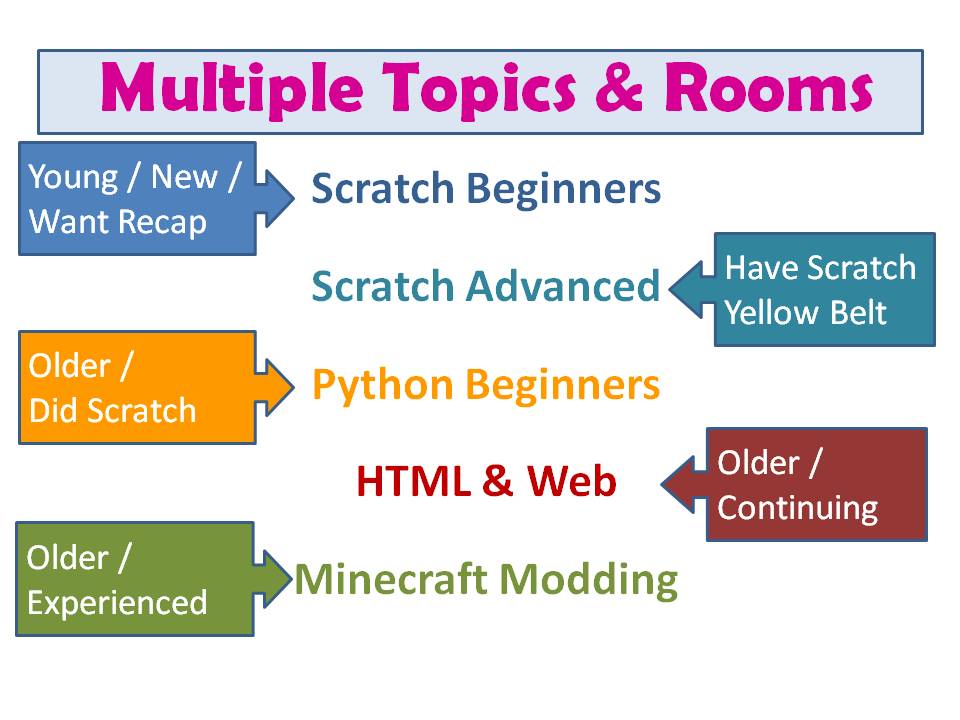
As the picture above shows, we are planning 5 topics this season, spread over 4 rooms:

  • Scratch Beginners, led by Martha:
    • Aimed at the younger ones and those who are new
    • They will progress to Scratch Intermediate after a few months
    • If possible, download Scratch 2 here before next Saturday: http://scratch.mit.edu/scratch2download/
  • Scratch Advanced, led by Oliver:
    • Topics will include music, animation, file systems, operating systems, and a programming language
    • Aimed at those who have a yellow cert/belt in Scratch
  • Python, led by Declan:
    • Aimed at those who have Blue belts in Scratch or have being doing HTML and would like to try something different
    • Will be mainly command line based to begin, moving to Pygame later
    • Will also involve Raspberry Pi and electronics boards
  • HTML, led by Claire:
    • Create your own webpage
    • HTML, images, links, stylesheets
  • Minecraft Modding, led by Michael:
    • Aimed at the older/more experienced group
    • Will involve learning how to program in JavaScript and Java, which are advanced programming languages, to create new mods
    • NOT just playing Minecraft or installing other peoples’ mods!

As in previous years, CoderDojo Athenry will be on Saturdays from 12:00 until about 1:30 or 2pm, in Gairmscoil Mhuire VEC school in Athenry, Under 13s must be accompanied.

Please make sure you are on the CoderDojo Athenry mailing list: if you are not receiving weekly email messages from us, then send an email message to coderdojoathenry@gmail.com and we’ll add you.

See you soon!

Michael and the CoderDojo Athenry mentors.

CoderDojo Athenry is Restarting!

CDAthenry

CoderDojo Athenry is restarting after the summer!

We will have an Information Session on Saturday 28 September at 12:00, and our first coding session of the new season will be on Saturday 5 October at 12:00, and every Saturday afterwards. As always, we will be based in Gairmscoil Mhuire, Athenry.

New members are welcome, both kids and teenagers, and of course we hope our existing members will return also. We will be repeating some topics from last year and adding some new ones. In particular, we hope to have some new topics that will appeal to teenagers.

To register, just come along for the information session or you can come along any Saturday, fill out a registration form, and jump in!

See you there!


Countdown to Pizza!

pizza

We have just a  few weeks left before we finish up in CoderDojo Athenry for the summer.

Here is a reminder of our upcoming schedule:

  • On 18 and 25 May, ninjas continue to work on solo/group projects towards earning belts/certs, with the support of the mentors
  • On 1 June, we won’t be open for the bank holiday weekend
  • 8 June will be our final week: we will award belts/certificates for your projects, and we will have pizza for everybody!

After that, we will close for the summer and resume in the Autumn.

Scratch Intermediate & Advanced Challenge 18: Start work on your own project!

CDA-S2-Challenge18-YourProject

This week, we started work on multi-week projects!

The goal will be to design and implement your own project, with the support of the mentors, to demonstrate the skills you have acquired over the past few months.

In a few weeks, everyone will get to demo their projects and work towards earning:

  • Yellow certificates: for ninjas who already have a yellow Scratch belt and demo a project using those skills
  • Blue certificates: for ninjas who already have a blue Scratch belt and demo a project using those skills
  • Yellow belts and white belts: only for ninjas who do not already have a belt.

As we discussed, there are also a couple of international CoderDojo contests coming up – discuss with your parents whether you would like to enter.

Here are my notes from the day (PDF): CDA-S2-Challenge18-YourProject.pdf

As usual, get in touch on Twitter or in the comments if you would like the PowerPoint version of the notes.

Scratch Intermediate & Advanced Challenge 17: Learn about Painting!

CDA-S2-Challenge17-LearnAboutPainting

This week, Martha led a great session in which she showed  the ninjas how to use a painting program. There are of course lots of reasons why this is useful for coding:

  • For animation, as we have been working on in recent weeks
  • For graphics for websites, including logo design as the HTML group are working on
  • For buttons, icons, and other graphics in other apps and programs

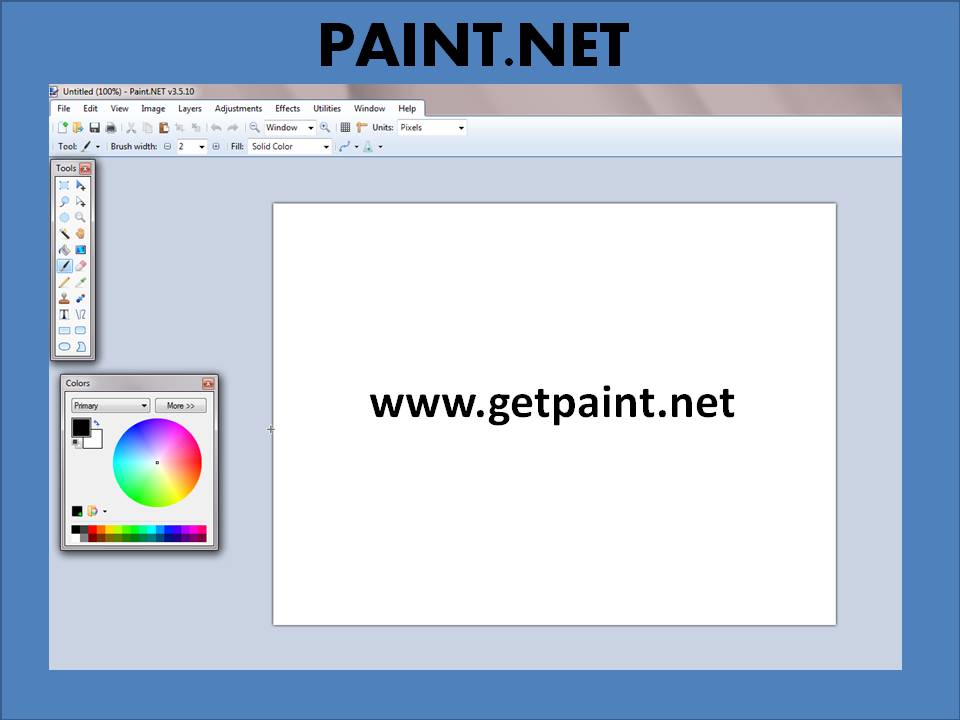
The specific program that Martha used is Paint.NET. This is free (though not open-source) and is pretty easy to use, while being quite a bit more advanced than either the Paint editor in Scratch or Microsoft Paint that is installed in Windows by default.

You can download Paint.NET here: http://www.getpaint.net/download.html

Paint.NET works on Windows only:  if you have a Linux or Mac laptop, many of the same functions are available in other painting packages, and the mentors will help you bridge the gap. One good alternative is Pinta Paint, which is multi-platform and its functionality is based on that of Paint.NET.

Here are the notes from the day (PDF format): CDA-S2-Challenge17-LearnAboutPainting.pdf

As usual, get in touch on Twitter or in the comments if you would like the PowerPoint version of the notes.

Also this week, our ninjas demonstrated models they had built in plasticine and graphics they had created – follow this link to see them!

Scratch Intermediate & Advanced Challenge 16: Model and Animate!

Challenge16-ModelAndAnimate

(This week, we again merged our Intermediate and Advanced Scratch groups, which means that our Challenge numbering system is now a bit messed up!)

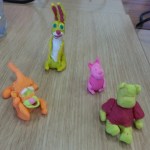
We had lots of fun in CoderDojo Athenry with this challenge, which involved:

  • Making models with plasticine (a.k.a morla or playdough)
  • Converting the physical models into digital ones, by either drawing them in a painting program or photographing them & cleaning the photos up
  • Animating the images in Scratch

Here is a link to my fairly primitive animated Scratch model: our ninjas have made much more impressive models, which we will showcase in a post soon. http://scratch.mit.edu/projects/cdathenry/3270233

Here are my notes from the day (PDF format): CDA-S2-Challenge16-ModelAndAnimate.pdf

As usual, get in touch on Twitter or in the comments if you would like the PowerPoint version of the notes.

Next week, we will extend this topic by continuing to do modelling and have ninjas demonstrate what they have made.