Advanced Scratch Platform Engine part 1

Hey folks,  today we started on a platform engine that can be used as the basis for many games.  Mostly today we were trying to get the physics of it fairly right.  We had to solve a lot of problems to make it work the way we wanted it!  This involved:

  • figuring out how to do realistic gravity!
  • letting us bump head off platforms
  • sorting out the “pillar” problem where we pop to the top of pillars
  • jumping
  • walking up slopes
  • using hitboxes to avoid snagging our whiskers on ledges

platform_week1

Hold onto the project as we will come back to it and add some enemies and maybe build it into a game!

The full instructions for the project are here:

You can download the code here!  (Note to download the code, click on “View RAW” and it will get downloaded to your computer).

Scratch Advanced – Gravity

Gravity

For the last two weeks we have been learning about Gravity and building a lunar module project to simulate how gravity works in the real world.

What is Gravity?

Gravity is what holds us down on Earth, if we jump up in the air, gravity will pull us back down.

If you want to break free of the Earths gravity you have to travel very fast and reach “escape velocity” this is about 25,000 mph.

The space station, even though it is travelling at 17,150 mph (that’s about 5 miles per second!)  has not escaped the Earths gravity, while it is trying to travel away from the Earth at 17.150 mph gravity is pulling it back down, this makes it travel around the Earth in an Orbit.

So we set out to build a Gravity simulation game.

In order to make it a little easier we decided to use the Moon as our base as the gravity is less and there is no atmosphere to slow us down when we are moving.

Some of the rules that we had to code for were:

  1. Our spaceship should not move if it is on the Ground.
  2. The higher it gets the faster it should move – Less Gravity.
  3. If it starts moving left or right, it should stay moving until it is stopped – No Atmosphere.

The Sprite needed 4 Costumes:

  1. Landed – This is the default costume where nothing is happening.
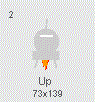
  2. Up – This costume has a flame coming out the bottom.
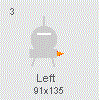
  3. Left – This costume has a flame coming out the right hand side.
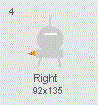
  4. Right – This costume has a flame coming out the left hand side.
Costumes1234

Costume2Costume3Costume4


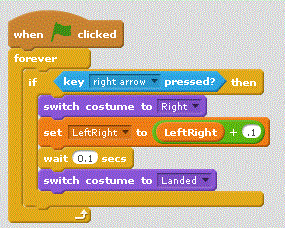
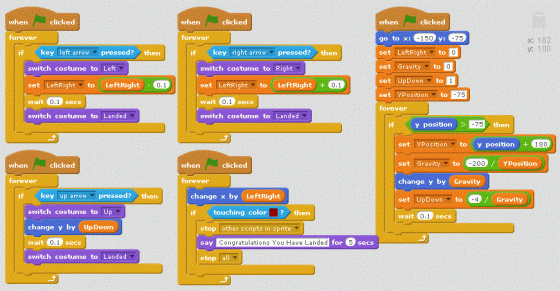
Once we had the sprite built we started on the code. We started with the left and right code first, basically when you clicked on either the left or the right button, we would change the costume and also increase or decrease a variable to indicate how far we should move along the X axis (this is the one that goes from left to right).

We used a variable for the LeftRight movement to make it simpler. This ended with some code that looked like this:
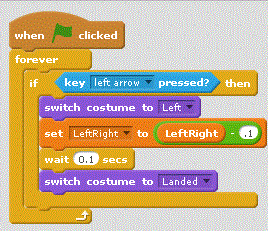
LeftCodeAnd for the Right Arrow Right

We put a small delay in as well, this gave the effect of the thrusting going on and off which looked more realistic.

The left right movement was taken care of by a separate piece of code that just keep moving the Sprite.
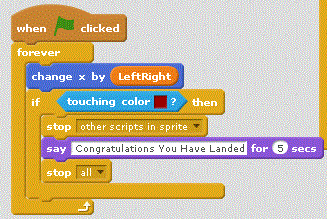
Main2

This also had a little bit of code to stop everything if we touched a particular colour, this was the colour of my landing pad.

For the Up Code we did something similar, but had to add in the movement in as well.
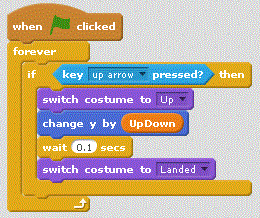
UpCode

To calculate the Up/Down movement was a little more complicated as we needed to adjust how much we moved up depending on how high we were, basically the Y value. Scratch doesn’t help here as the Y value goes from -180 to 0 and then on to +180, we needed it to always be positive, so we had to use a variable and add 180 to it.

The other thing we had to do was find a number that when we divided by the Y value it gave us a reasonable value to move the Sprite by, through trial and error this came out at 200.

Which ended up with some code like this:
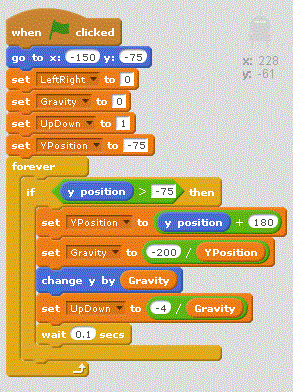
Main1This code also has all of the initialisation code, where we set all the variables we are using to their initial values. Notice that the UpDown default is 1, this is to ensure that the first time that you press the Up key that the spacecraft actually moves.

And if you want all of the code, here it is
AllCode

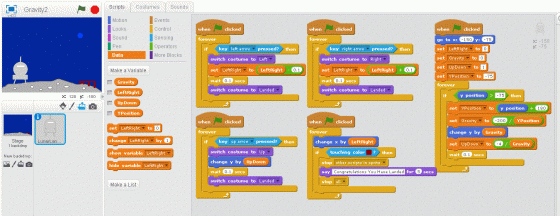
And finally this is what my Project looked like in the end
FullProject

Scratch Beginners Week 4 – A Better Ghost Catcher Game

This week we improved on Martha’s original Ghost Catcher game! The notes can be found on this website as CDA-S5-Challenge_04-BetterGhostCatcher.

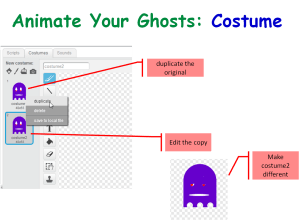
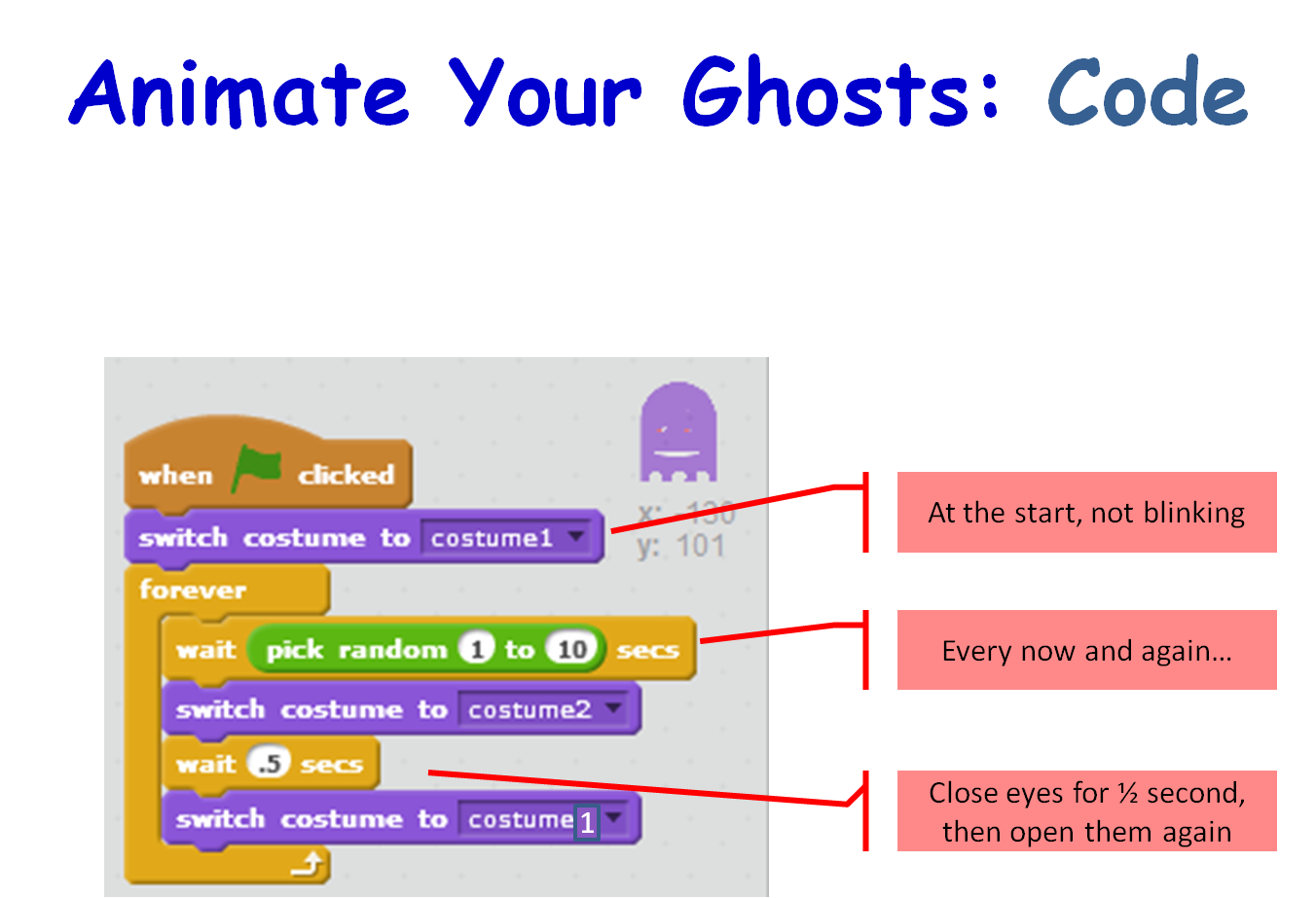
We animated our ghosts by creating a simple change costume script that runs forever,Season 5 Better ghostcatcher- animate ghost - costume

Season 5 Better ghostcatcher- animate ghost - Code

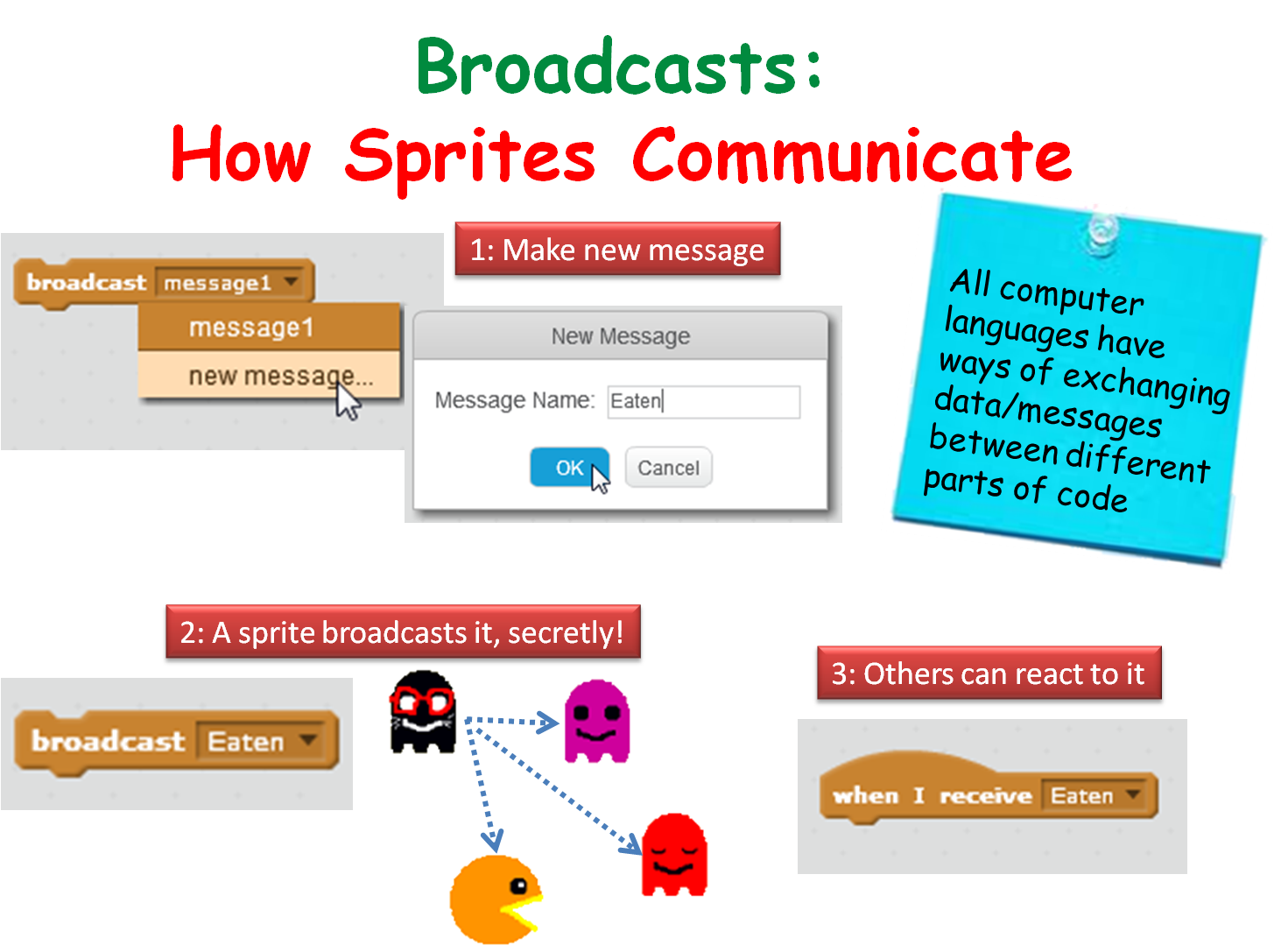
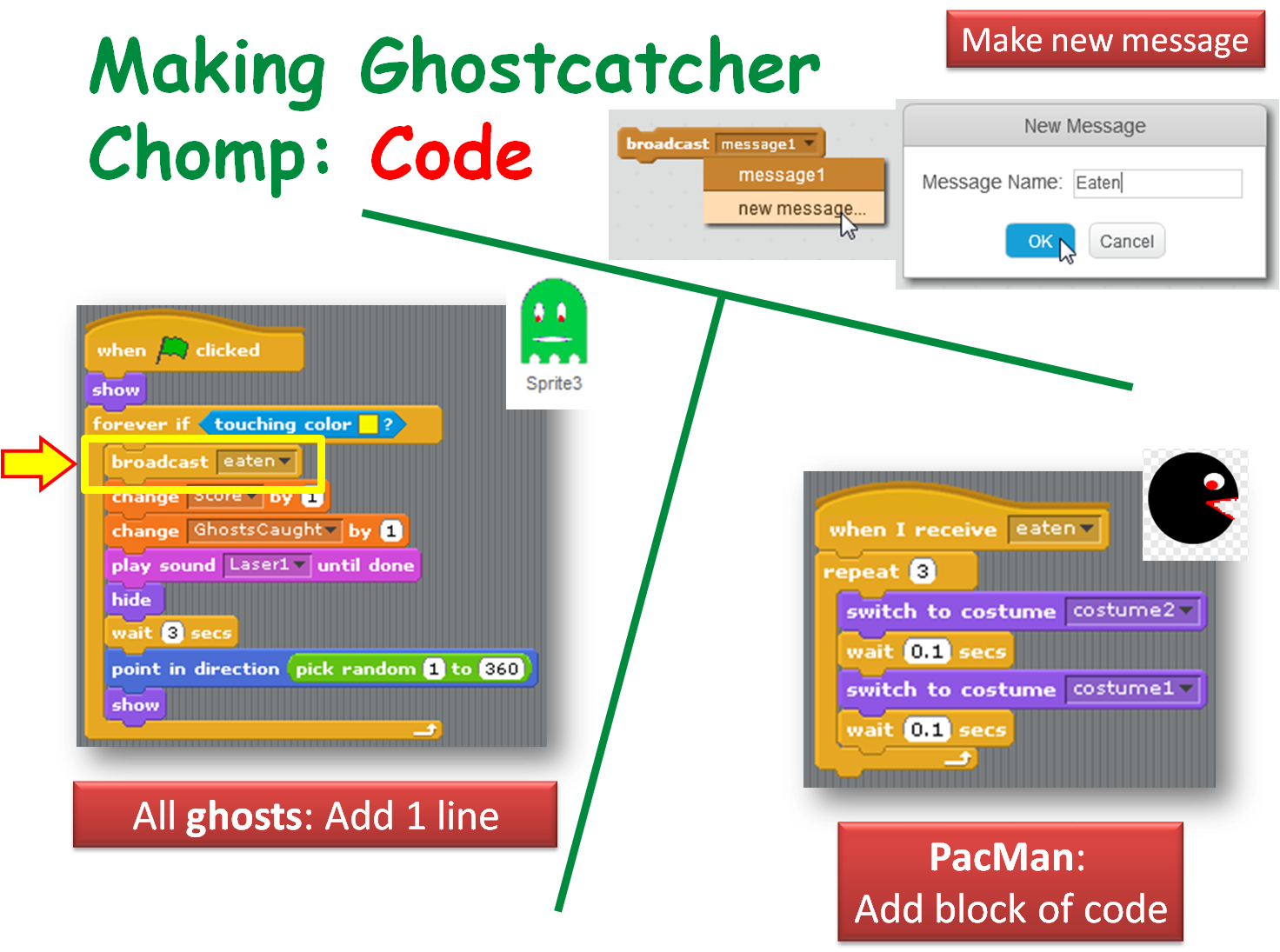
We made our ghosts broadcast a message when they are caught to make ghostcatcher (aka Bob) change his costume (Hint!: First, we made a new costume for Ghostcatcher Bob to make his mouth look closed!),

Season 5 Better ghostcatcher- broadcasts

Season 5 Better ghostcatcher- broadcasts- make ghostcatcher react

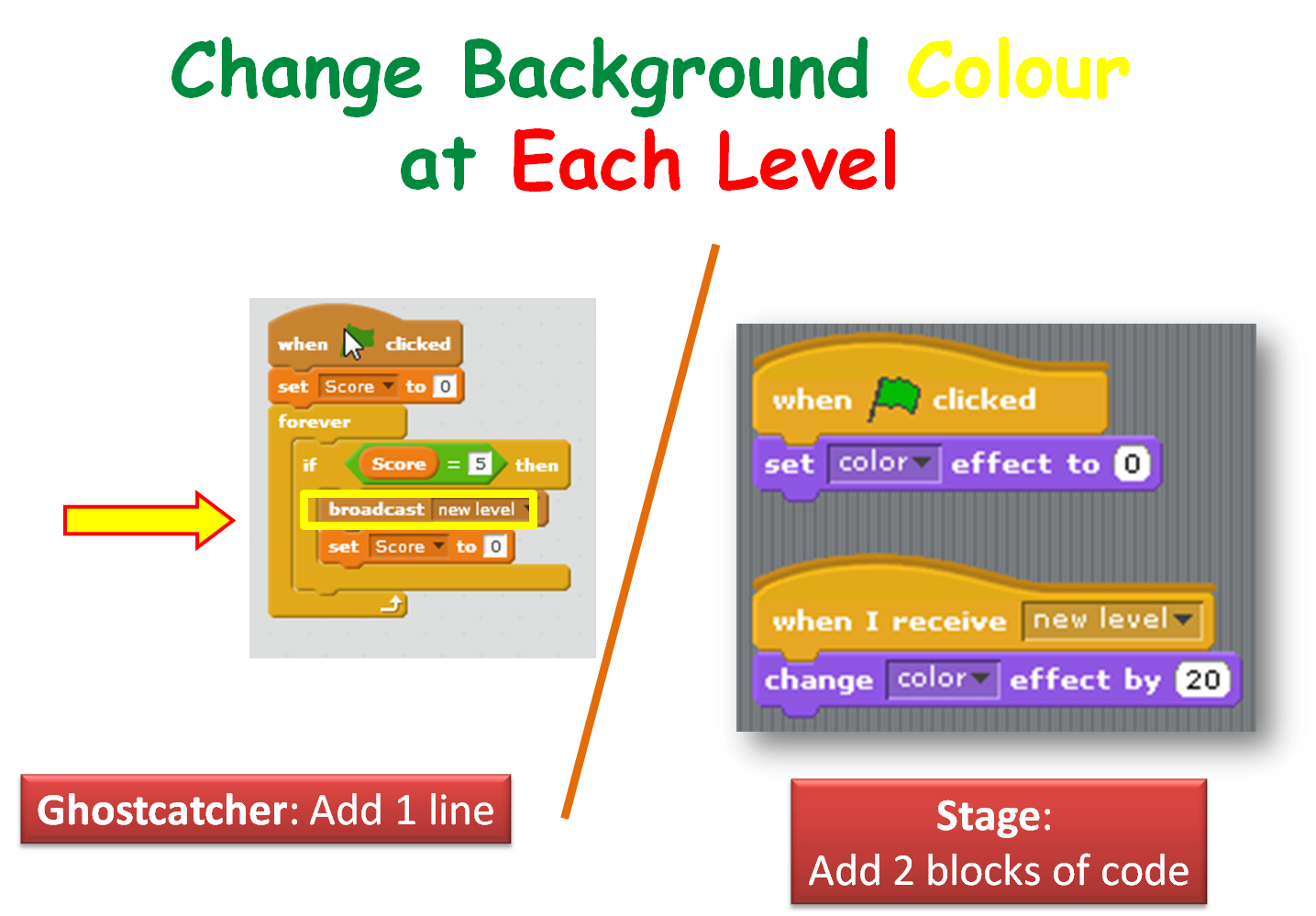
We also got Ghostcatcher Bob to broadcast a message that makes the stage change it’s background to each time a level is changed.

Season 5 Better ghostcatcher- broadcasts - use score var to chg background color

If you have any questions about all the variables, ghostscaught and speed, that you saw in my version of the program, please review the notes on this website for the previous week: CDA-S5-Week_03-Ghostcatcher.pdf. Check out the last few slides.

Thanks to Martha Fahy for all her notes so that we could really make huge progress with our Ghost Catcher game!

Have a very Happy Halloween and we will see ye all back on Saturday November 7th at 12.00!

Julie OBeirn

Week 4 – Unity Taster Session

unityssample

Thanks everyone for a fun session today. Although we were some way from the finished product, I hope that it gave everyone a taste for what you can achieve in Unity.

No doubt there are a few of you ninjas who’d like to complete the game under your own steam, For you, the complete notes on how to finish this game off can now be downloaded from here.

Best of luck if you do choose to finish it off and we’ll probably return to this material after the break and discuss in more detail some of the things we glossed over today for the sake keeping things simple for the taster session.

Scratch Advanced: Week 3 Top Down Game Engine Part 1

A “Game Engine” is a piece of code you can use to build different types of games.  This week we looked at doing a top down scrolling game engine.  It’s still pretty basic at the moment but it’s enough to get started on some projects of your own.   What can you build with it?

Top Down Scrolling Game Part 1 Notes

screenshot-week1

Download the code for part 1 here.

CoderDojo Athenry Plans for 2015-16 Season

1-CoderDojoAthenry-InfoSession-2015-Sept

CoderDojo Athenry is running every Saturday from 12:00 to 2pm in Gairmscoil Mhuire school (“The Tech”), with regular sessions starting on 26 Sept 2015. New members are always welcome – just come along and fill out a registration form.

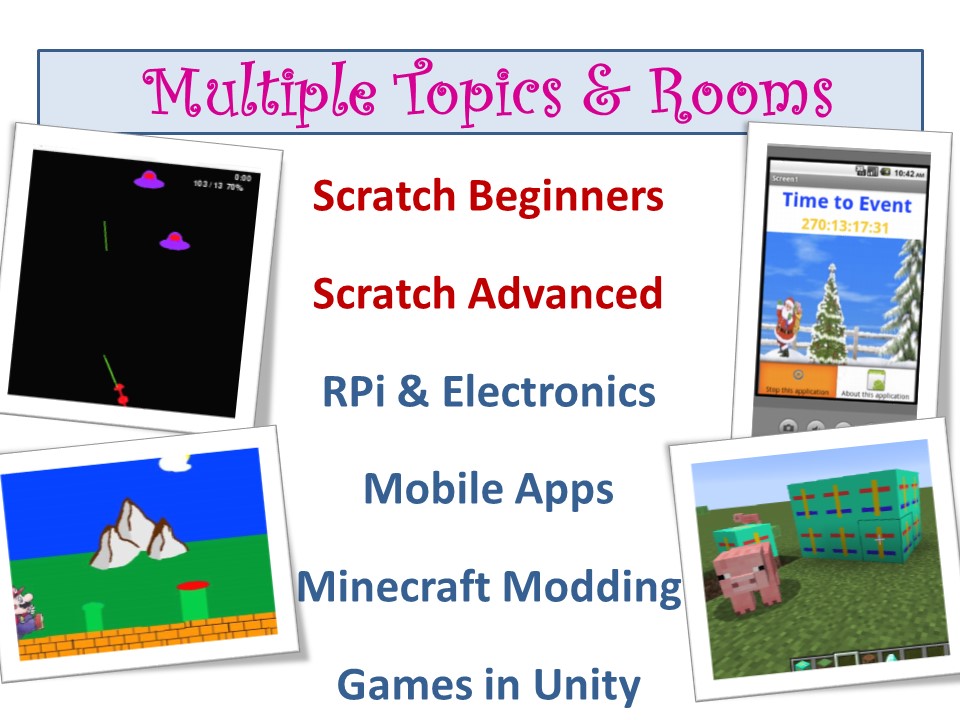
2015-16, CoderDojo Athenry is continuing some of our existing streams and adding some new ones. Here is the full lineup of topics that will be featured this year, with links to presentations where available:

For those not starting Scratch Beginners or Advanced, we will have taster sessions of the other topics each week for the first 4 weeks.

Summer Project- Athenry Castle in Minecraft

2015-08-30_16.17.51

A lot of you had a chance to see the Minecraft Project that some of our Ninjas worked on over the Summer weeks in Athenry Castle a couple of weeks ago.

As part of heritage week, Ruaidhrí, Eiblinn, Eoin, Darragh and Luke built a 13th century replica of Athenry Castle in Minecraft.

Athenry Castle Minecrafters

I promised a link to download the World and the Mods used, so here is a link to Dropbox where you will find all the files.

https://www.dropbox.com/sh/tfz50etxnwkzg1w/AACPCpWDNmazTJAK7yoM_uwYa?dl=0

See you all Saturday! (September 19th)

Martha

CoderDojo Athenry is Returning on 19 Sept 2015!

CoderDojo Returning

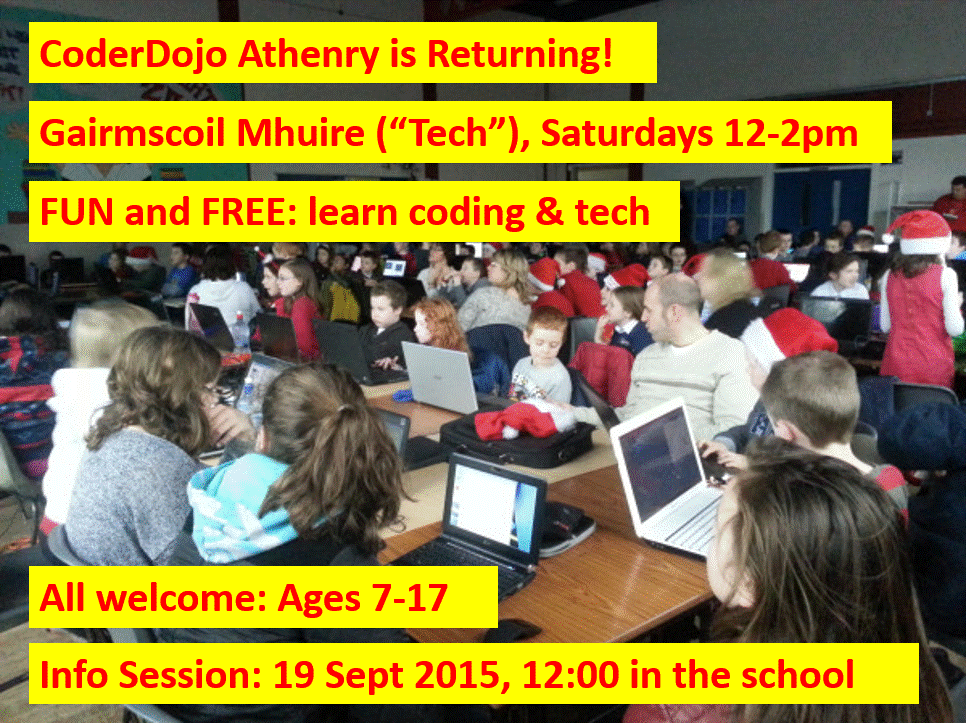
CoderDojo Athenry is starting back with an information session on 19 September 2015 in Gairmscoil Mhuire VEC school (“the Tech”) at 12:00 noon. All new and existing members are welcome to come along to find out what we have planned for this season.

CoderDojo Athenry is part of CoderDojo (www.coderdojo.com), a global volunteer-led community of free programming clubs for young people.

It is run on an entirely voluntary basis, and you never have to pay to participate. It is open to young people aged 7 to 17, and those aged 12 and under must be accompanied by a parent/guardian.

Regular weekly sessions will start the following week, 26 September 2015, 12-2pm in the same venue.

See you there!

Plotter Demo: Controlled by Arduino, with 3D Printed Parts, Programmed with Scratch

plotterThanks a million to dojo dad Sean Shanley for a very interesting demo at CoderDojo Athenry on 18 April!

Sean has built a 2D plotter that is controlled by Arduino, with 3D printed parts, and programmed with a Scratch variant called MBlock.

Anyone interested in learning about programming with MBlock can find information on the Instructibles website: How to use graphical programming software to program Arduino and robots?

Also, some parents asked about where they can get an Arduino board. You can buy Arduino Uno and decent kit from Amazon for £24. It has loads of bits …

Sunfounder Project Super Starter Kit with Tutorial Book for Arduino UNO R3 Mega2560 Mega328 Nano

Here is a video of Sean’s plotter in action:

Week 7 – 2015 Scratch Beginners – Scrolling Backrounds

Hi everyone,

Thank you all for coming Saturday on such a nice day and such a busy day of sport as well!
We started our Mario game, where we will use scrolling of objects in the background to achieve movement rather than making Mario move.
scrolling

It can be a difficult concept to grasp for the younger ones, but we will go through it again next week before we continue on with the game.

scrolling2

Rather than putting up the notes from this week, I will wait until we have the game finished before putting up the completed notes.
I have however, put the game (as far as we did today) on the Scratch Website http://www.scratch.mit.edu. Login with the User name coderdojodathenry and password xxxxxxx123 and you will be able to download the game if you weren’t here this week or have a look at the code to get your own game work working.

MarioGame

See you all next week, when we will make Shrink and add some more scrolling sprites!

Martha