This week the Python group looked at Functions, Escape Characters and Boolean Operators. We also started to rewrite the Dragon’s Realm game which we will continue with after the break. Don’t forget to look at chapters 5 and 6 of “Invent Your Own Computer Games with Python” http://inventwithpython.com/chapter5.html . Here are my slides from today- python session3
Scratch Beginners – Week 2 – Adding More Functions to First Game
We had a great crowd for our second session of Scratch beginners. Julie did a great job as lead mentor in Martha’s absence.
This week, we added lots of new functionality to our first game: make things happen when Jaws catches the Diver and keeping track of lives.
Here are the presentation slides from the day, in PDF format: CDA-S3-Challenge01-FirstGame-Part2.pdf
See you next time!
Python Beginners-Week 2: Our First Real Game
We had a good turn out at the python group again today. We did a lot of typing which some of the younger Ninjas found hard going. We won’t be doing that much again for a few weeks. We did a number guessing game which contained some concepts which are used in most computer programs. Our number guessing game is explained in chapter four of “Invent Your Own Computer Games with Python” by Al Sweigart. http://inventwithpython.com/chapter4.html
Scratch Advanced – Week 2 – Lets finish the Calculator.
Hope everyone enjoyed last week.
This week we are going to use a drawing application Paint.net or msPaint, whichever people prefer to use to finish the Calculator off properly.
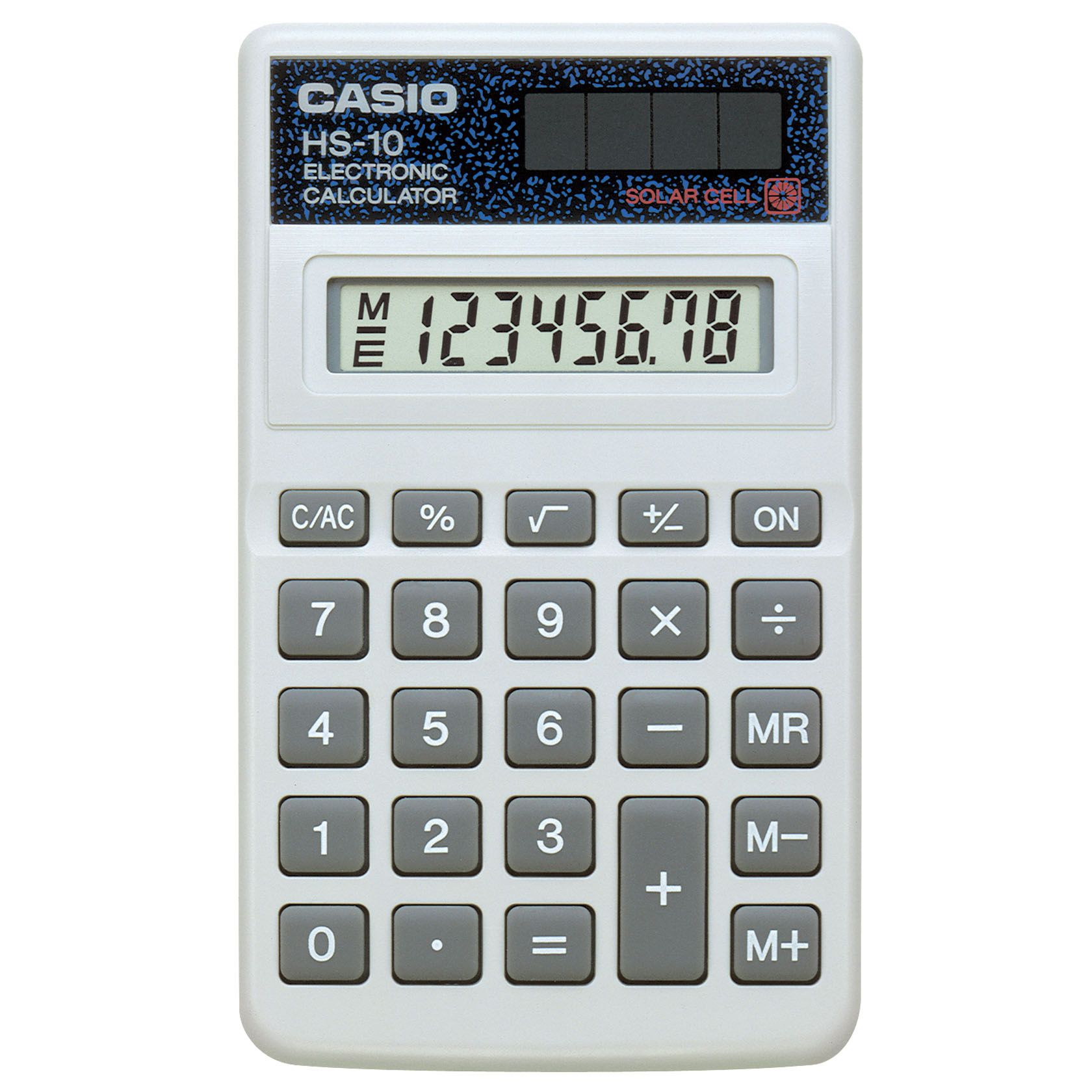
What we need to do is set the Background in the Calculator to a picture of a real calculator, something like this one…
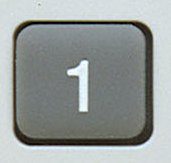
And then using Paint.net or any other graphics tool we are going to cut out the different numbers and save them all of to seperate files and then use these files as the Sprites.
You should end up with loads of these…
Do one for each number, one for +, -, X and divide. Oh and don’t forget the dot 🙂
If any one is feeling adventurous we might even try and do something with Memory.
Python Beginners-Week 1
We had a slow start to the Python session due to Wi-Fi and installation issues. However once we got moving we managed to cover variables including strings, math operators and inputs and outputs.
Ninjas are encouraged to read the first three chapters of Invent Your Own Computer Games with Python by Al Sweigart, which is available at http://inventwithpython.com/chapters/ .
Next week we will be looking at loops and decisions in a number guessing game and comparing it to a similar scratch program.

Here are my slides from Week-1
session1slides
Scratch Beginners – Week 1- First Game “Jaws”
We had a great crowd for our first session today in Scratch beginners. Thank you all for coming and for your patience while we got everyone sorted out with downloading Scratch 2.
We started today with our first game”Jaws”, as well as learning how to write commands to move our sprites, we took a brief look at the interface for Scratch 2.
We also took a first look at some fundamental concepts that we will be using throughout the year. Today we looked at the X and Y axis as well as the number of degrees in a circle.
Here are the presentation slides from the day, in PDF format: CDA-S3-Challenge01-FirstGame-Part1.pdf
I hope you all enjoyed today and hope to see you all again over the next couple of weeks!
Scratch Advanced – Week 1 – Calculator.
Hi all and welcome back to what we hope will be an exciting year in Coder Dojo Athenry.
We will be using Scratch 2 this year. So the first thing that we need to do is install it.
There are two Applications that you need to install:
1. AdobeAir
2. Scratch2
I will have all the Versions that I can find on USB, which should cover both Windows and Mac. I have installed the Windows version, so I know that one works. I won’t have tested the Mac version though.
Scratch2 introduces the idea of making your own Blocks of code that you can then use in your programs. So for the first week we are going to try these out and see how they can help us write Code once but use it many times.
And for that we need a project to work on – A Calculator.
- We will learn about Functions (Code Blocks in Scratch2)
- We will learn about passing information into Functions
We are going to design and build a fully functioning Calculator that can Add, Subtract, Multiply and Divide. If you get really adventurous you can add some other functions as well – percentages maybe?
Like you I haven’t written it yet, so it going to be a bit scary tomorrow as we have to make it all up as we go along, but hey, you’re the advanced crowd, and should be able to handle that!
Once we have a fully working version I will update this blog with the full details of how and why we did what we did.
If we can get anything like the following picture, I think we are definitely Advanced…
Everything that you see on this calculator is perfectly possible in Scratch2, we will start with the four basic options of Addition, Subtraction, Multiplication and Division.
What stream will you be part of?
CoderDojo Athenry Information & Registration Session, 28 Sept 2013
We had a great turnout for our information & registration session at CoderDojo Athenry on Saturday 28 Sept. We didn’t count the numbers, but we ran out of registration forms after 70 new sign-ups.
If you didn’t get to sign up, don’t worry – the first Saturday that you come along, you can fill out a registration form and jump right in.
If you are already registered from last year, you don’t need to register again.
Here are all the slides from the information session:
- Overview (Michael): CoderDojoAthenry-InfoSession-2012-09-15.pdf
- Scratch Beginners (Martha): CoderDojo_InfoSession_28_9-2013.pdf
- Scratch Advanced (Oliver): YearThreePresentation.pdf
- Python (Declan): Python who and why.pdf
- Claire (HTML): HTML_C_Lally.pdf
- Minecraft Mods (Michael): CoderDojoAthenry-Info-Minecraft.pdf
- Belts (Michael): CoderDojoAthenry-Info-Belts.pdf
As the picture above shows, we are planning 5 topics this season, spread over 4 rooms:
- Scratch Beginners, led by Martha:
- Aimed at the younger ones and those who are new
- They will progress to Scratch Intermediate after a few months
- If possible, download Scratch 2 here before next Saturday: http://scratch.mit.edu/scratch2download/
- Scratch Advanced, led by Oliver:
- Topics will include music, animation, file systems, operating systems, and a programming language
- Aimed at those who have a yellow cert/belt in Scratch
- Python, led by Declan:
- Aimed at those who have Blue belts in Scratch or have being doing HTML and would like to try something different
- Will be mainly command line based to begin, moving to Pygame later
- Will also involve Raspberry Pi and electronics boards
- HTML, led by Claire:
- Create your own webpage
- HTML, images, links, stylesheets
- Minecraft Modding, led by Michael:
- Aimed at the older/more experienced group
- Will involve learning how to program in JavaScript and Java, which are advanced programming languages, to create new mods
- NOT just playing Minecraft or installing other peoples’ mods!
As in previous years, CoderDojo Athenry will be on Saturdays from 12:00 until about 1:30 or 2pm, in Gairmscoil Mhuire VEC school in Athenry, Under 13s must be accompanied.
Please make sure you are on the CoderDojo Athenry mailing list: if you are not receiving weekly email messages from us, then send an email message to coderdojoathenry@gmail.com and we’ll add you.
See you soon!
Michael and the CoderDojo Athenry mentors.
CoderDojo Athenry is Restarting!
CoderDojo Athenry is restarting after the summer!
We will have an Information Session on Saturday 28 September at 12:00, and our first coding session of the new season will be on Saturday 5 October at 12:00, and every Saturday afterwards. As always, we will be based in Gairmscoil Mhuire, Athenry.
New members are welcome, both kids and teenagers, and of course we hope our existing members will return also. We will be repeating some topics from last year and adding some new ones. In particular, we hope to have some new topics that will appeal to teenagers.
To register, just come along for the information session or you can come along any Saturday, fill out a registration form, and jump in!
See you there!