Week 5 – 2015 – Scratch Beginners

Hello everyone.

Good to see everyone there on Saturday. We made a game called Wipeout similar to on old game called Breakout.

wipeout

We used a number of important coding concepts again this week, loops and decisions, Variables, broadcasting, etc.

concepts

Yesterday during class, we didn’t have time to add the Lives and the Scores but I am hoping everyone will try it themselves at home. We have done it many times now and I am sure you are well able to do it. Try it first on your own but I have put my game up on the scratch website so you can take a look at it if you get stuck. Here is a link Wipeout Game

No Coderdojo Athenry for the next two weeks but I hope to see you all back on the 7th of March.

Enjoy the break

Martha

Week 2 – 2015 Scratch Beginneers

Hi everyone,

This week we took a look at the open source graphics program called Paint.net

It’s a very useful piece of software for editing and working with photos and clip art. Over the next couple of weeks we will use it to clean up our photos of our 3D playdoh models or Lego figures.

PAINTNET

Here are the PDF version of the notes: CDA-S4-Challenge09-LearnAboutPainting.pdf

See you all next week

Week 1 2015 – Scratch Beginners

Hello everyone and a very Happy New Year to you all!

happynewyear

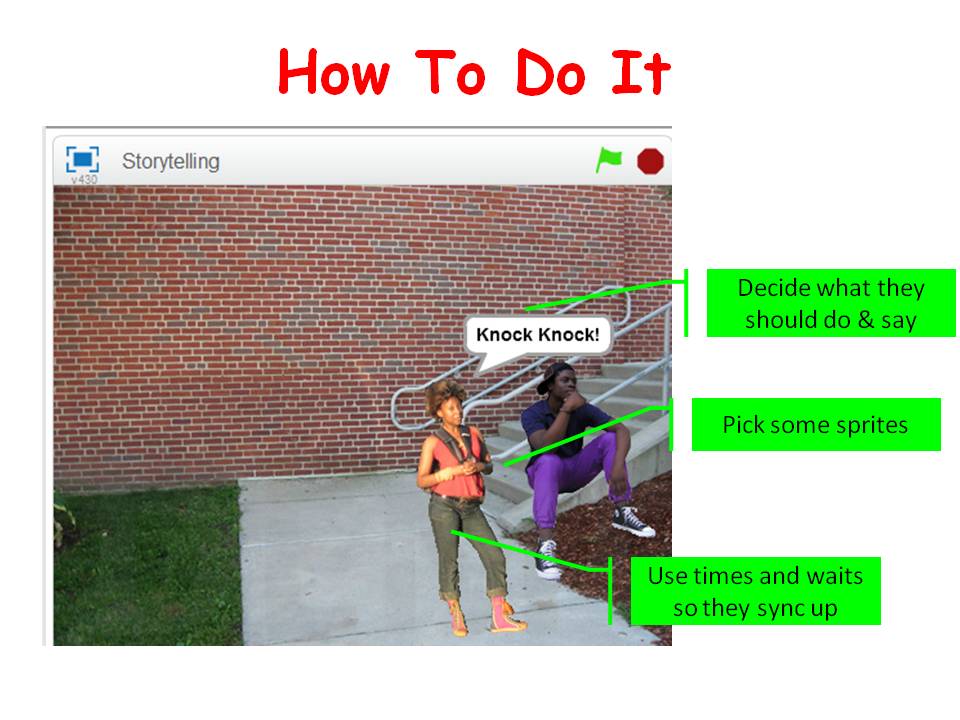
Thank you all for coming yesterday. To ease ourselves back in we worked on some code for storytelling/conversations. This can add another dimension to any game. It can set the scene or can help with interaction between characters. We used speech bubbles yesterday but you can just as easily record voices instead. It’s all about the timings, you need to get those correct so that each character gets to say their piece.

Storiestelling

Here are the notes from this weeks session in PDF: CDA-S4-Challenge08-Storiestelling.PDF

Next week we are going to take a look at the graphics package PAINT.net. It would be very helpful if most people had it downloaded and installed before next week. The website is http://www.getpaint.net.

Here is a link to download it Here

See you all next week!


Week 7 – Scratch Beginners – Christmas Scene-Animation

Hi everyone,

This session we got into the Christmas spirit and we created some animated Christmas Scenes.

CDA-S4-Week_07-ChristmasScene

Using costumes we could have the effect of movement, snow falling, dancing penguin, or flashing lights. We could also use the colour effect code to change colours.

Walking around the room I saw lots of great scenes, some dancing Santas, reindeer with noses that change colour and lots lots more.

Next week is our last week so we are going to have a “Show and Tell” and then some Pizza! If you would like to show us anything you have done so far this year, just let one of the mentors know on Saturday and we will get you up to show everyone. If you would rather not get up in front of the room that is fine, but I would love to see it so make sure to call me over to have a look.

NEXTWEEK

Looking forward to seeing you all there on Saturday. D’ont forget to get into the mood, wear something Christmasy..Jumper, Hat, Scarf, socks, earrings, whatever!

Here are the note from this weeks session. CDA-S4-Week_07-ChristmasScene.pdf

Week 6 – Scratch Beginners – Guessing Game

Hi everyone,

Last Saturday we did a slightly different game to usual., There was no movement, no sensing when something happened. It was a Maths Game, a guessing game where the computer picks a random number and we had to guess the number.

GuessNumbers

We had to first make sure that a random number was picked using an Operator. Previously we have used a Variable to store a Score or Lives, but this time it was storing the random number and our guesses. Leaving them on screen as we were testing allowed us to understand more about the variable and what it does…it also made the testing a little easier.

Depending how any guesses we were given we repeated our code that number of times. As well as having to make decisions, i.e If_then, we also had to do a comparison before making the decision, to determine whether the guess was correct, too low or too high.

5guesess

I hope you all enjoyed the difference this week and we are going try something else different next week. We  (You)  are going to create a Animated Christmas Scene. Get your Thinking Hats On!

Here are this weeks notes in PDF: CDA-S4-Week_06-GuessNumbers.pdf


Week 5 – Scratch Beginners – Paddle & Ball

Hello everyone

We had a great crowd again on Saturday and had some new registrations as well. Hope you enjoyed your first week at CoderDojo Athenry.

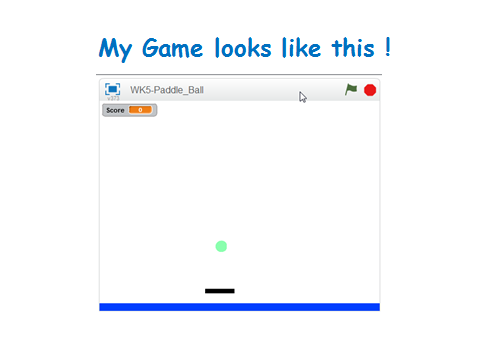
This week I wanted you to design how your game looked. I kept my game very simple, just a paddle and a ball but you all had great ideas.

paddle

yourgame

I always mention that there is no right way or wrong way to do things. This week we used Broadcasting to send a message when something happened rather than using some of our senseing code to figure out when it happens.

BROADCAST

Here are last weeks notes in PDF CDA-S4-Week_05_Paddle_Ball.pdf

See you next week

Week 3 – Scratch Beginners – Ghostcatcher

Hello Everyone

Hope you are enjoying the Halloween break.

Great to see so many of you there on Saturday, especially since it was a bank holiday weekend.

This week we created a Ghostcatcher game. We used the paint editor in Scratch for the first time. As I said on Saturday, It makes things easier if you think in shapes.

PACMAN

Using the code we have learnt so far, we moved the Ghostcatcher with the mouse and the Ghosts randomly. We also added sounded and score.

PACMAN2

For those of you who would like to add more complexity, I have a couple of ideas at the end of the notes. Give it a go and if you need any help, just ask myself or one of the mentors at the beginning of the next session.

P.S. No session next week, hope you have fun over the Halloween and we will see you back on the 8th.


Here are this weeks notes in PDF. CDA-S4-Week_03-Ghostcatcher.pdf

Week 2 – Scratch Beginners – Building on our first game

Hi everyone,

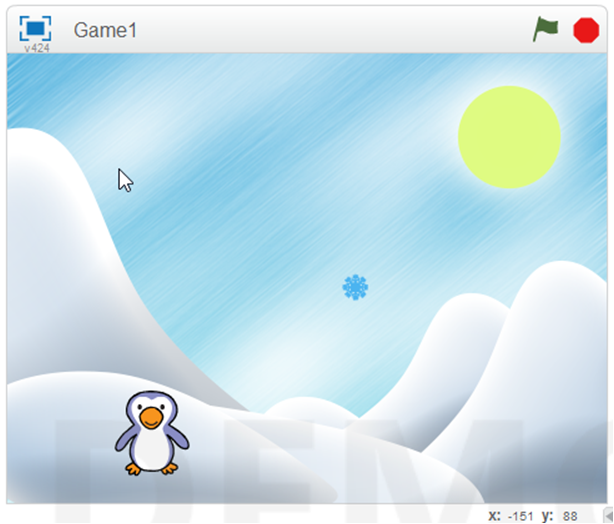
Great to see you all there on Saturday. This weeks starting point was our game from last week. We wanted to add extra functionality. We added code to the Snowflake so that something happened when the Penguin touched it. Most people added some sound.

sensing

We also made our first variable. We did this so that we could keep track of our score. Using this score we also could add code to make something happen when you reached a certain score and win the game. Again here we added a sound and switched backgrounds.

variable

We learned and used a lot of new code this week and we will see over the coming weeks how we can incorporate it into many different types of games.

Why don’t you try using all the code you have learnt so far to create your own game. We will take time at the beginning of next weeks session to look at any games that people want to show us.

yourgame

See you all next week!

Here are the notes from todays session in PDF CDA-S4-Week_02-FirstGame-Part2.pdf

Week 1 – Scratch Beginners- First Game

It was great to see so many of you there yesterday! Welcome back to anyone who was here last year and a big welcome to all our new Ninjas.

We were able to get down to work very quickly yesterday and that was all down to our mentors who got everyone up and running. Thank you, Neil, Julia, Ciara F, Dermot and welcome to our newest member Ciara D and thank you for giving your time.

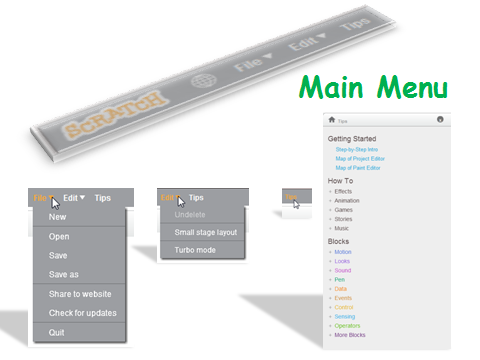
One of the first things we did yesterday was to go through the Scratch interface and familiarise ourselves with the Menu

sprites

menus

Our first game had two sprites, one which moved by using the arrow keys and one which moved randomly. Now we could have taken the easy option here with this code but instead we looked at the idea of using the X and Y axis and degrees and rotation.

firstgame

As I said yesterday, these are hard concepts for the younger Ninjas to understand at first, but we will be using them week in and week out and they will soon grasp it.

Here are the notes from yesterdays session in PDF CDA-S4-Challenge01-FirstGame.pdf

Next week we will be building on this game and then the Ninjas will build their own game using the code we have learnt so far.

Looking forward to seeing you all back next week!

Information about the 2014-15 Season at CoderDojo Athenry

2014-overview

From Saturday 11 Oct 2014, we are starting a new season of CoderDojo Athenry, at our usual time and place. (The Saturday before, on 4 Oct, we will be having an introduction session for new mentors and other volunteers.)

Here is a the overview presentation (PDF): 1-CoderDojoAthenry-InfoSession-2014-Sept

This season, we will have the following streams:

We look forward to seeing you there!

–  Michael and the CoderDojo Athenry mentors.