Week 1 – Scratch Beginners- First Game

It was great to see so many of you there yesterday! Welcome back to anyone who was here last year and a big welcome to all our new Ninjas.

We were able to get down to work very quickly yesterday and that was all down to our mentors who got everyone up and running. Thank you, Neil, Julia, Ciara F, Dermot and welcome to our newest member Ciara D and thank you for giving your time.

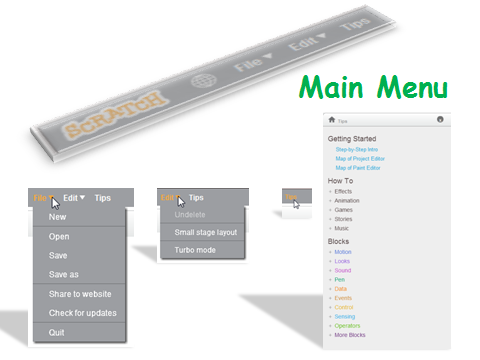
One of the first things we did yesterday was to go through the Scratch interface and familiarise ourselves with the Menu

sprites

menus

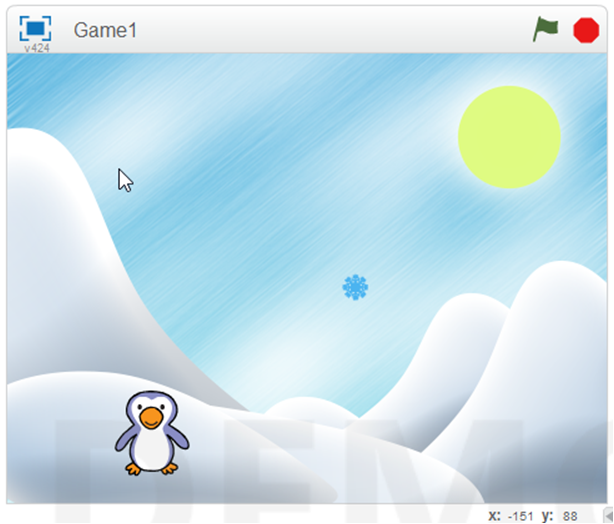
Our first game had two sprites, one which moved by using the arrow keys and one which moved randomly. Now we could have taken the easy option here with this code but instead we looked at the idea of using the X and Y axis and degrees and rotation.
firstgame

As I said yesterday, these are hard concepts for the younger Ninjas to understand at first, but we will be using them week in and week out and they will soon grasp it.

Here are the notes from yesterdays session in PDF CDA-S4-Challenge01-FirstGame.pdf

Next week we will be building on this game and then the Ninjas will build their own game using the code we have learnt so far.

Looking forward to seeing you all back next week!

Week 8 – 2014 Scratch Beginners

Hi everyone,

Good to see so many of you there again on Saturday.

At the start of the session, I talked about what will be happening on April the 12th when we will be awarding belts. If you have any questions or are unsure about anything, please ask me in the next session.

belts

This week we again tried to use all the coding fundementals we have learned so far, such as loops, decisions, animation etc., and put them into a new game. Unlike last week though where the game was an action game this weeks was more of a brain teaser/maths game.

mathsgame

Next week, you are going to work on the game that you will show to us the following week. We will be on hand to help you along if you have any questions.

Looking forward to seeing all your great ideas!

The full notes from this weeks sessions are here in PDF form CDA-S3-MathsGame

Week 7 2014 – Scratch Beginners

Hi Everyone,

Thank you all for coming again this week and thank you to Oliver for taking the session for the two weeks I was away.

I briefly spoke about Belts last week and we will go into that further in this coming session.

bigideas

I tried to do a game this week that was jammed packed with everything you have learned so far, Loops, decisions, variables, broadcasting and animation.

ballcode

It was quite a lot to fit in but I think we managed it. If any of you are having problems with your code, we can take a look at it before our next session, or have a look through this weeks notes and see can you figure it out yourself.

Here are this weeks notes in PDF: CDA-S3-Wipeout

Week 4, 2014 Scratch Beginners – Pen Commands

Hello Everyone,

Thank you all for coming again this week, and thank you all for your generous donations.

I think the Mic made a big difference this week!           mic

This week we looked at pen commands, we have not done this before in the Scratch Beginners so it was new for everyone.

pencommand

We also created some variables which we set as sliders which again is something we had not done before with this group.sliders

And lastly we added buttons to our game. We added two separate buttons, a Start and Stop. In a few weeks time, I will show you how to have just one button, changing costume and activating the appropriate code.

There is no Coderdojo in Athenry next week, so enjoy the break.
I will be away for the following two weeks but Oliver has kindly offered to take over the group, along with his own.

Here are the full Pdf version of my notes from this weeks session. CDA-S3-Challenge-Pen Command.pdf

Martha

Week 3, 2014 Scratch Beginners- Scrolling Backgrounds Contd

Hi everyone,

We completed our Mario game this week. We coded Mario so that he always floated down on to the wall. We added a fraction of a second of a wait so that it appears that he floats as he comes down. This also allows time for you to navigate left or right as needed.

CDA-S3-Challenge09-Scrolling

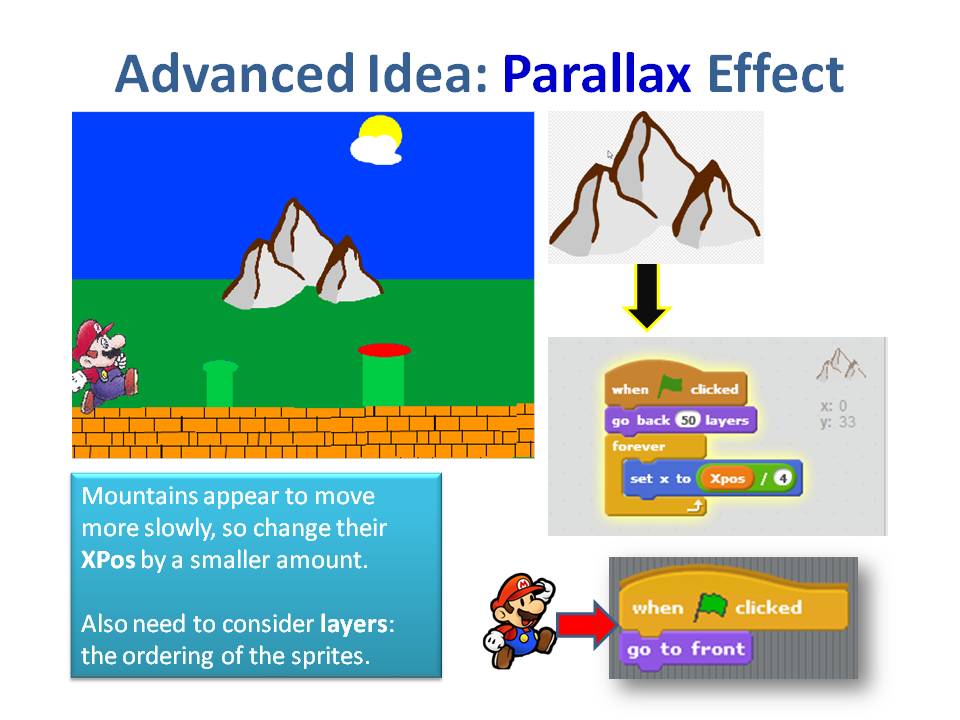
We also introduced a more advanced concept, the Parallax effect, whereby objects further away appear to move slower than objects nearer. We coded mountains and a Sun to demonstrate this.

CDA-S3-Challenge-Scrolling

Next week, everyone is going to start on there own games, using the code and concepts we have learnt over the last couple of weeks, so bring your imagination with you.

You will a full version of the my notes in pdf form here.CDA-S3-Challenge09-Scrolling.pdf

See you all next week

Martha

Week 7 – 2015 Scratch Beginners – Scrolling Backgrounds

Hi everyone,

Thank you all for coming Saturday on such a nice day and such a busy day of sport as well!
We started our Mario game, where we will use scrolling of objects in the background to achieve movement rather than making Mario move.
scrolling

It can be a difficult concept to grasp for the younger ones, but we will go through it again next week before we continue on with the game.

scrolling2

Rather than putting up the notes from this week, I will wait until we have the game finished before putting up the completed notes.
I have however, put the game (as far as we did today) on the Scratch Website http://www.scratch.mit.edu. Login with the User name coderdojodathenry and password xxxxxxx123 and you will be able to download the game if you weren’t here this week or have a look at the code to get your own game work working.

MarioGamehttps://wordpress.com/post/40558549/912
See you all next week, when we will make Shrink and add some more scrolling sprites!

Martha

Week 1, 2014 Scratch Beginners – Storytelling

Happy new year

We had a great turnout today for our first session of 2014. A very special welcome to our 14 new ninjas who joined us for their first coding session today. I hope you enjoyed your first visit to Coderdojo Athenry.

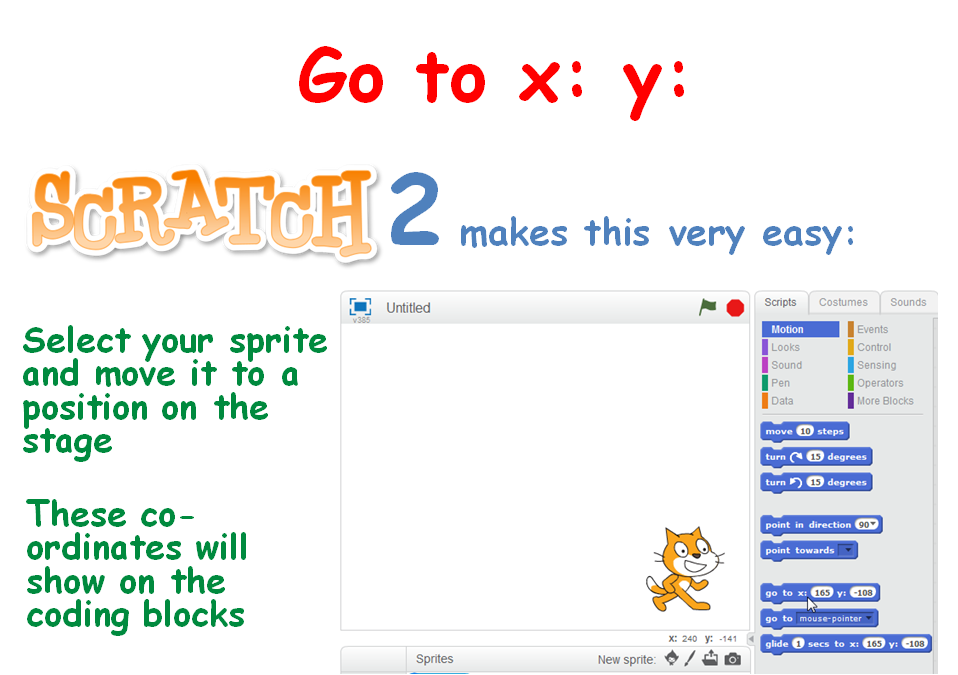
To ease everyone back in (including myself) we took a look at doing some storytelling. This involved again learning about the X, Y position of the stage, some movement of the sprites using the Glide command and of course testing our code to ensure that our timings were correct.

xy

We look forward to seeing you all next week, when we will be using scrolling backgrounds.

The PDF version of todays session are available to download here: CDA-S3-Challenge08-Storiestelling.pdf

Martha

Christmas is Coming …

pizza

Christmas is coming and CoderDojo Athenry is coming to an end for 2013, with our final session of the year on Saturday 14 December from 12:00. We will of course resume in January – keep an eye on the mailing list for exact dates.

Even if you missed one or two recent sessions, please do join us for our last session of the year, which will be a very special one: our ninjas from each of the different groups will demonstrate what they have been working on and then we will have a party with pizza and drinks!

For the first part of the session, each of the groups will have about 15 minutes during which ninjas from the group will demonstrate what they have been working on, in this order:

  1. Scratch Beginners
  2. Scratch Advanced
  3. Python Beginners
  4. Minecraft Modders

And don’t worry: we won’t put any ninja on the spot – nobody has to speak unless they would like to.

After the demos, we will all have a party!

Some parents have contacted us to offer to bring something for the party – thank you for your very kind offers, but Ciaran Folan and Gairmscoil Mhuire school are arranging the food, for which we are very grateful. Thank you, Ciaran, and of course huge thanks to you and the school for so generously hosting CoderDojo Athenry every week.

By the way, in case you are wondering about when we will be awarding belts this season, we will do that at the last session before Easter.


Scratch Beginners – Week 7 – Paint.net

Hello everyone,

Today we took a look at Paint.net, which is a drawing program. I quickly went through the menus but the best way to learn a program like this is to use it and experiment with it.

PAINTNET

The main reason we looked at it this week was because we will need it next week as we begin our modelling and stop/motion animation. After we take our photos we will be able to “clean them up before we bring them into Scratch as our Sprites.

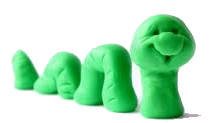
snake

Next week, if the Moms and Dads could bring along a camera or phone along with the lead to attach these to your laptop.

And of course most important of all bring your imagination!

Here the full notes from todays session in PDF form. CDA-S3-Challenge07-LearnAboutPainting.pdf

Week 6 – Guessing Game

Hello Everyone,

Great to see you all yesterday and welcome to our new members.

Yesterday, we made a slight departure from the games we have done in previous weeks. This weeks game was a mathematical Guessing Game.

DUCK

We only had one sprite and one large block of code. We had to create variables and figure out all the possible situations that could occur when a guess was made.

guess

Again this week, I am looking for you to add your own signature to your game by continuing to add some complexity. Yesterday I saw people add costumes so every time he guessed wrong, a sad face appears. There was also a lot of sound being added! You don’t have to keep all the code either, how about replacing the Repeat 5 times with a 60 seconds timer instead.

I would like you all to keep working on the game and those of you who like me to show your game to the rest of the room, like I did with Alex’s brilliant soccer game, please upload it to the Scratch website. I will show them before the session starts next week.

Next week as I said we will be doing Paint.net, please download in advance if you can. See you all there.

PAINT

Here are the notes in PDF form from our Week 6 Session. CDA-S3-Challenge06GuessNumbers.pdf