ModderDojo Topic 5: Moving from Scratch to JavaScript

GeneralFeaturesOfProgrammingLanguages

Reminder: JavaScript is a well-established programming language, mainly used in web development. ScriptCraft is a Minecraft mod that allows you to write JavaScript code for building structures in Minecraft and writing new Minecraft mods. (So it’s a mod for creating other mods.)

Steps 1 and 2: Try out ScriptCraft commands and write simple mods

Please look back to last week’s notes for now to do this: https://cdathenry.wordpress.com/2013/10/05/modderdojo-week-1-getting-started-with-scriptcraft-and-javascript/

Step 3: Comparing JavaScript to Scratch

Some people criticise Scratch as being “childish”, but I don’t agree. While it is designed so that even 8 year olds can use it, it is still has all of the key features of ‘adult’ programming languages, as listed in the image at the top of this post.

(Technically, any programming language with variables, decision and loops is Turing Complete.)

This means that, if you already know how to write a Scratch programs that use these features, you will be able to apply that knowledge to any other language, such as JavaScript. The syntax of JavaScript is different, but it uses the same computational thinking.

Variables-Operators

Loops

Decisions

Notes:

  • Even though they have basic ideas in common, every programming language has its own specific commands that relate to its purpose: Scratch is focused on 2D games and animations, while ScriptCraft is focused on operating inside Minecraft, and JavaScript generally is used for interactive websites.
  • the echo command that features in these slides is not a standard JavaScript command, it is just used in ScriptCraft to display things on your screen in Minecraft.  Everything else is standard JavaScript.

Topic 4: Planning and Building a Complex Structure Mod in Minecraft

PyrimidInside This week we have one main goal: build a substantial mod in ScriptCraft that, when you run it, will create an impressive-looking structure! This will include:

You might find it helpful to work in pairs on designing and coding your mods. During the session, I will ask people to load their mods onto my computer, demo them to the group, and explain how their code works. To get things started, at the top and bottom of this post are pictures of mods created by Ruaidhri and Luke. We will take a look at how they work.

Tunnel1

Practical notes:

  • During development and testing, you can end up with lots of incomplete structures that slow down your CraftBukkit server. A simple fix is to delete your world:
    • Stop your CraftBukkit server
    • Open the CraftBukkit folder on your computer: in it you will see folders called world and possibly world_nether and world_the_end delete them all
    • While you are at it, edit server.properties in the CraftBukkit folder to make your new world superflat, write level-type=flat and you could also change other properties such as spawn-monsters=false
    • Restart your CraftBukkit folder to create a new, empty world
    • Re-run your scripts to recreate structures that you want
  • Read the ScriptCraftJS API reference to see what commands you can use for your structures: https://github.com/walterhiggins/ScriptCraft/blob/master/docs/api.md

Topic 3: Creating our First ScriptCraft Mods

2014-10-17_20.54.57

(Notes updated September 2015.)

Previous Topic: Connecting to Each Other’s Servers.

Our First Mod: sayhi.js

I’ll show you how to write a very simple one, sayhi.js, and then a more complex one, scraper.js. After that, it’s up to you to figure out what you can do!

In the Canarymod folder, find the folder scriptcraft / plugins, then make a new folder with your name (or any unique folder name).

Using Notepad++, type in the code shown below and save it in a file called sayhi.js. Here are explanations of what everything means:

sayhi-scriptcraft

Try it out in Minecraft and see if it works!

NOTE: Every time you create a new ScriptCraft program or edit one, you have to type /js refresh() in Minecraft to update your changes. If no commands run, make sure you are opped. (In the Canarymod window, type op <your_mincraft_name>).

To run it, type /js sayhi() in Minecraft.

A More Complex Mod: scraper.js

This makes the skyscraper shown above. We will figure out together how it works!

scraper-scriptcraft

Topic 2: Connecting to Each Other’s Servers

bukkit

(Notes updated September 2015.)

Note: This continues what we started in Topic 1: Getting Started with ScriptCraft and JavaScript.

Next step: Creating our first Scriptcraft mods. https://cdathenry.wordpress.com/2014/10/17/topic-2-connecting-to-servers-and-creating-our-first-mod/

Previously, we installed a Canarymod server and inside it we installed ScriptCraft, a mod that will allow us to build structures in MineCraft by writing JavaScript code.

Canarymod is a Minecraft Server. Therefore, the instructions we followed to connect to it were:

  • Start MineCraft, making sure it’s the same version (1.8 in our case)
  • Choose Multiplayer, then Direct Connect and enter localhost as the server address
  • If this works, in your CraftBukkit window you’ll see a message that you connected.

Here, localhost is actually means “the address of this local computer”.

But you can also connect to a friend’s computer, if you are all on the same network and you can find out their address. (If you are on different networks, things get a bit more complex: you will have to search online about how to set up port forwarding on your router, and you will probably also need a free Dynamic DNS service.)

On a local network, to find your IP address, open a command window. (In Windows, run or search for cmd.) In the command window, enter the command ipconfig and read through to find an entry like this:

Wireless LAN adapter Wi-Fi:
    Connection-specific DNS Suffix . :
    Link-local IPv6 Address . . . . . : fe21:9ba2:9db6:13e9%4
    IPv4 Address. . . . . . . . . . . : 192.168.1.17
    Subnet Mask . . . . . . . . . . . : 255.255.128.0
    Default Gateway . . . . . . . . . : 10.101.0.1

The IPv4 address is what you need. Get a friend to start Minecraft on their computer, then Direct Connect and enter your IP address. They will then be connected to the server on your computer!

This can be handy if you want to work on projects together.

Next step: Creating our first ScriptCraft mods.

ModderDojo Topic 1: Getting Started with ScriptCraft and JavaScript

Slide1Welcome to ModderDojo Athenry!

(Notes updated September 2015. Previously used the CraftBukkit server, now using Canarymod.)

This stream is aimed at older & more experienced ninjas, mainly in secondary school, who:

  • Know how to program in some language (e.g. a blue belt in Scratch)
  • Already use the PC edition of Minecraft
  • Know how to edit file and know your way around your computer’s filesystem
  • Ideally have already installed a mod yourself

Plan for today:

  1. Install a Canarymod server (a Minecraft server that is designed to be better to extend than a standard Minecraft server)
  2. Install ScrptCraft, a Mod for Minecraft (built with Canarymod) that allows you to write programs to build objects in Minecraft
  3. Try out some ScriptCraft commands
  4. Write our first mod or two in ScriptCraft

In future weeks, we’ll figure out more about the JavaScript language, which is a popular programming language that is often used in web programming.

Step 0: Prepare

Before you start, you’ll need a programmer’s editor and a zip program. I recommend:

You’ll also need to run Minecraft and the server on your own laptop or pair up with somebody.

Steps 1 and 2: Install Canarymod Server and ScriptCraft

Instructions here: https://github.com/walterhiggins/ScriptCraft/blob/master/README.md

I’ll have files pre-downloaded on a USB flash drive to save time.

We’ll edit the properties file to specify a flat world, creative mode, and give the world a name.

Either follow the instructions linked above to install everything from scratch, or these instructions ot use my pre-=built server:

  1. Download the Canarymod/ScriptCraft server (a single zip file) here:
    https://www.dropbox.com/s/d1af5njm7t732n0/ScriptCraft-Sep2015.zip?dl=0
  2. Create a folder, e.g. C:\ScriptCraft
  3. Move the downloaded zip file into the folder and unzip it
  4. Run canarymod.jar to start it
  5. If Java is not installed, you will need to download it from http://www.java.com

You should then be ready to try out ScriptCraft.

Step 3: Try out ScriptCraft

Run Canarymod (with ScriptCraft already installed).

Then start Minecraft. Important: you will have to run the Minecraft version that matches your version of Bukkit (e.g. 1.8.8)

Choose to directly connect to a server and enter localhost – if you’re connecting to a friend’s machine, you’ll need to connect to their IP address.

To run ScriptCraft commands, you have to be an op. In Canarymod window, type op <username> to op yourself.

In Minecraft, type /js echo(“hello world”) and check that it displays the message: if so, you have it installed correctly.

Next Steps …

Information about the 2014-15 Season at CoderDojo Athenry

2014-overview

From Saturday 11 Oct 2014, we are starting a new season of CoderDojo Athenry, at our usual time and place. (The Saturday before, on 4 Oct, we will be having an introduction session for new mentors and other volunteers.)

Here is a the overview presentation (PDF): 1-CoderDojoAthenry-InfoSession-2014-Sept

This season, we will have the following streams:

We look forward to seeing you there!

–  Michael and the CoderDojo Athenry mentors.

CoderDojo Athenry Belts Awarded May 2014

BeltsMay2014b

We awarded a record number of 87 belts at CoderDojo Athenry in May 2014:

  • 3 White belts for ongoing participation
  • 55 Yellow Scratch belts for competent  coders
  • 15 Blue Advanced Scratch belts
  • 1 Yellow Python belt
  • 3 Blue Python belts
  • 10 Green Minecraft Modding belts for creating and ublishing Java/JavaScript mods online

In keeping with the CoderDojo ethos, these belts were earned by our young people meeting agreed standards in different coding disciplines. Belts are not for winning competitions against each other, but celebrate personal achievement, and are never given away without being earned.

Congratulations to all the young people who earned their belts!


Our Forge Java Mods from ModderDojo Athenry

This is a set of Minecraft Java mods that we have built in ModderDojo, which is part of CoderDojo Athenry. Contact us on Twitter at @coderdojoathenr. All of these mods require Forge 1.7.2 or higher.

To install a mod, download the Jar file from here, then go to your %APPDATA% folder, then open the .minecraft folder, and place the Jar file in the Mods folder.

More Ways To Minecraft by Ruaidhri:

New items: blue, red and green lightsabers and a ruby. New recipes to create lightsabers.

Download: https://www.dropbox.com/s/sn5cxkobjsfmlix/more%20ways%20to%20minecraft-1.0.jar

Money Mod by Luke:

New items: multiple coins and notes and a credit card. New recipes to create one type from another.

Download: https://www.dropbox.com/s/8lhhj5rnjiy2agp/Money%20mod-1.0.jar


More coming!

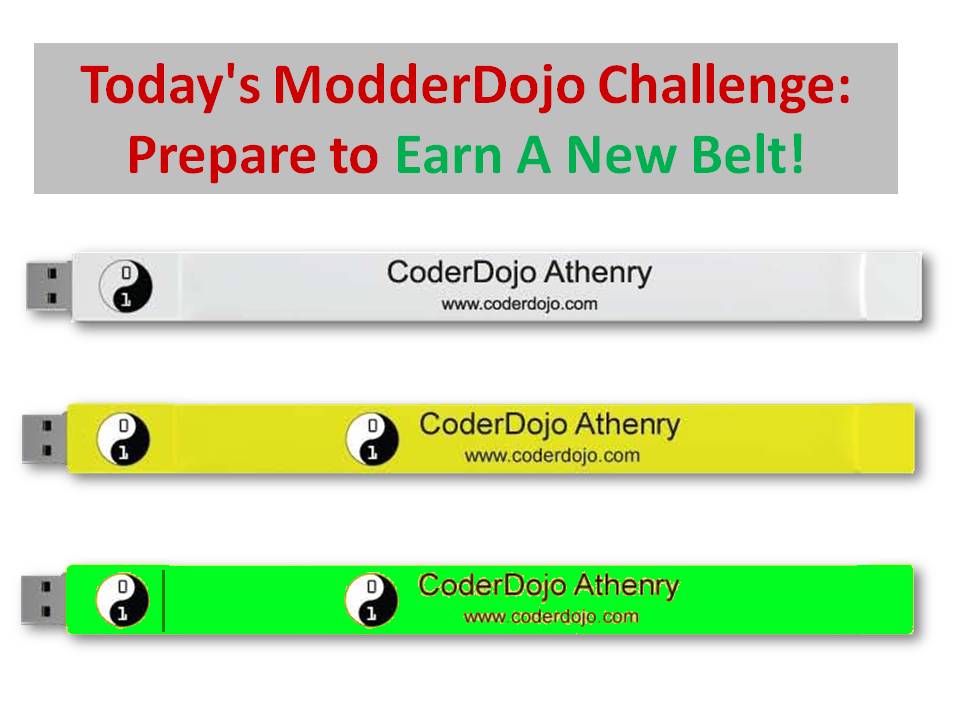
ModderDojo: Preparing to Earn Belts

Modding-PrepareForBeltsAs discussed at this week’s session, we will be awarding belts on Saturday 12 April. In advance of that, Modders should work on developing as good a mod as possible, in either Java or JavaScript. I can help you publish your mod to the CoderDojo Athenry website, so  get in touch with me (Michael) by email if you have questions.

Here are the notes in PDF format about how to earn a belt: Modding-PrepareForBelts.


ModderDojo Java Modding 13: All Our Mod Code So Far

firstmod

Overview

Here is all of the code for our mods to define our first item, first block, and first recipe. In addition to 3 Java files, there is 1 language resource file (en_US.lang) and also 2 PNG files that are not included below: one for the block texture and one for the item texture.

Refer to the image below and to earlier posts in this series to see how these files should be arranged in a package.

MyFirstItem.java

// Michael Madden Feb 2014.
// Ref: http://www.minecraftforge.net/wiki/Basic_Items 
// And: https://cdathenry.wordpress.com/2014/02/15/modderdojo-java-modding-8-a-simple-item-mod/ 

package modderdojo.firstitem;

import net.minecraft.creativetab.CreativeTabs;
import net.minecraft.item.Item;

public class MyFirstItem extends Item 
{
 public MyFirstItem() 
 {
 // This is the constructor for our new item. Set basic properties in it.
 setMaxStackSize(64);
 setCreativeTab(CreativeTabs.tabTransport);
 setUnlocalizedName(&quot;MichaelFirstItem&quot;); 
 }
}


MyFirstBlock.java

// Michael Madden March 2014.

// Ref: http://www.minecraftforge.net/wiki/Basic_Items
// And: https://cdathenry.wordpress.com/2014/03/29/modderdojo-java-modding-12-creating-our-first-block/

// Thanks to Ailish and Eli in CoderDojo Athenry who figured this out originally. 

package modderdojo.firstitem;

import net.minecraft.block.Block;
import net.minecraft.block.material.Material;
import net.minecraft.creativetab.CreativeTabs;

public class MyFirstBlock extends Block 
{
 public MyFirstBlock() 
 {
 // This is the constructor for our new item. Set basic properties in it.
 super(Material.iron); // Copy the properties of iron
 
 setCreativeTab(CreativeTabs.tabBlock);
 setBlockName(&quot;MichaelFirstBlock&quot;); // This is the internal name, not display name
 }
}


MyFirstMod.java

// Michael Madden, March 2014.
// Registers an Item mod and a Block mod and creates a recipe.
// Ref: https://cdathenry.wordpress.com/2014/01/19/modderdojo-java-modding-6-creating-our-first-mod-adding-a-crafting-recipe/
// And: https://cdathenry.wordpress.com/category/modderdojo/

package modderdojo.firstitem;

import net.minecraft.init.Blocks;
import net.minecraft.init.Items;
import net.minecraft.item.Item;

import net.minecraft.item.ItemStack;
import cpw.mods.fml.common.Mod;
import cpw.mods.fml.common.Mod.EventHandler;
import cpw.mods.fml.common.event.FMLPreInitializationEvent;
import cpw.mods.fml.common.registry.GameRegistry;

@Mod(modid = &quot;firstitem&quot;, name = &quot;First Mod from ModderDojo by Michael&quot;, version = &quot;1.0&quot;)
public class MyFirstMod
{
 @EventHandler
 public void preInit(FMLPreInitializationEvent event) 
 {
 // Register my item and set its texture
 MyFirstItem first = new MyFirstItem();
 first.setTextureName(&quot;modderdojo:md2&quot;);
 GameRegistry.registerItem(first, &quot;MichaelFirstItem&quot;); // This name doesn't have to be same as unlocalised name, but no harm in them being the same
 
 // Register my block and set its texture
 MyFirstBlock b = new MyFirstBlock();
 b.setBlockTextureName(&quot;modderdojo:mmblock&quot;); // requires .png file with this name
 GameRegistry.registerBlock(b, &quot;MichaelFirstBlock&quot;);
 
 // Add recipe to turn 2 of my items into diamond
 ItemStack myStack = new ItemStack(first);
 ItemStack diamond = new ItemStack(Items.diamond, 1);
 
 GameRegistry.addRecipe(diamond, 
 &quot;x &quot;, // 2x2 recipe
 &quot; x&quot;, 
 'x', first);
 }
}


en_US.lang

item.MichaelFirstItem.name=Nice Name For Michael's First Item
tile.MichaelFirstBlock.name=Michael's First Block Display Name