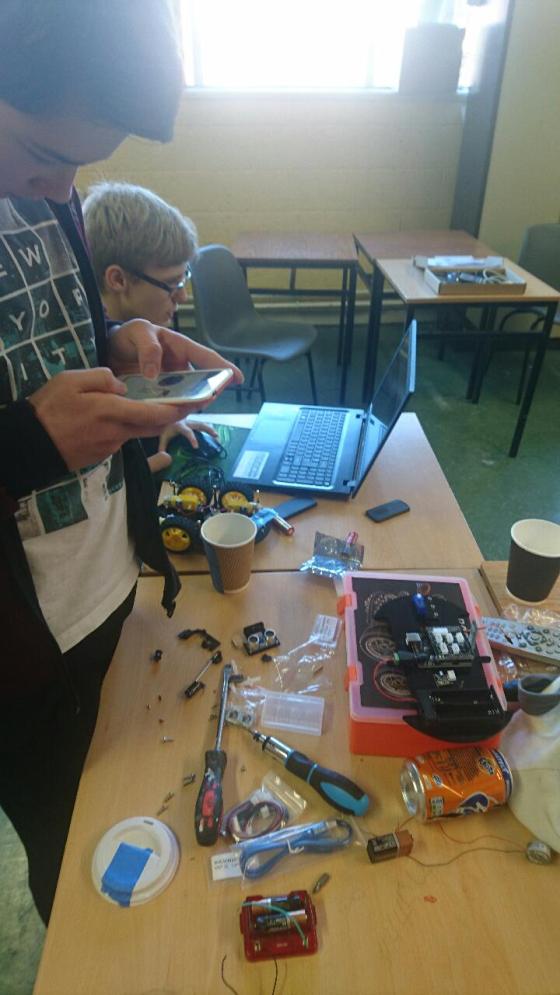
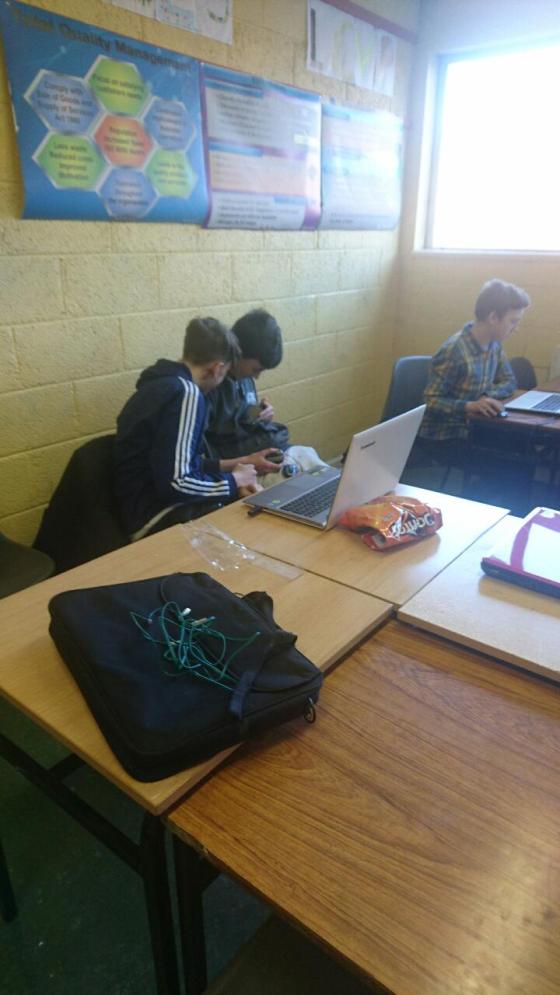
In the CoderDojo Hackers Group these days, everybody is working on their own projects in groups, such as building computers, designing robots, and carrying out all sorts of top-secret plans!
Here are couple of photos from 11 Feb:


In the CoderDojo Hackers Group these days, everybody is working on their own projects in groups, such as building computers, designing robots, and carrying out all sorts of top-secret plans!
Here are couple of photos from 11 Feb:


Hello everyone,
Thank you all for coming yesterday on such a lovely day.
This week we did a simple Piano.
We only had to draw two keys, and then could duplicate these and change the names. The same applied to the code. The code is the same for each key apart from one small change so the note is the appropriate for the key.
REMEMBER! You need to make four changes each time you duplicate:
Change the name of the spite to the next Note
Change the name of the TWO costumes
Change the NOTE played
Remember, no sessions for the next two weeks. Have a nice break and for anyone with confirmations to attend next week I hope the weather is extra nice for you.
See you back on the 4th of March
Here are notes from this week in PDF cda-s6-week-4-17-piano.pdf
Martha
Today the Bodgers and Creators were on a hiatus so Mark took a few folks and covered some web development – with a particular focus on Javascript.
We reviewed:
We then spent the rest of the time playing with Javascript, using the p5.js framework to do some graphical stuff. We learned about:
We built quite a few cool things to draw interesting patterns and shapes and some of you came up with some mad patterns. The one we ended up with is shown below. Have fun playing with javascript and I’ll be really interested to see what you come up with! Also try to think of ideas and if you come up with something interesting we can have some fun trying to build it!
Hello everyone,
Today we took a look at Paint.net, which is a drawing program. I quickly went through the menus but the best way to learn a program like this is to use it and experiment with it.
The main reason we looked at it this week was because we will need it next week as we begin our modelling and stop/motion animation. After we take our photos we will be able to “clean them up before we bring them into Scratch as our Sprites.
Next week, if the Moms and Dads could bring along a camera or phone along with the lead to attach these to your laptop.
And of course most important of all bring your imagination!
Here the full notes from todays session in PDF form. cda-s6-week-2-17-learnaboutpainting.pdf

This week we looked at the Environment asset pack and the creation of terrains.
Terrains are, at their core, nothing more than a grayscale image (shades of black & white) where the colour values are interpreted as representing heights. Black is is interpreted as zero height, white is interpreted as maximum height (as defined in the terrain’s properties) and every shade of grey in-between represents an intermediate value. The terrain editing tools provides brushes in a variety of shapes to raise or lower the terrain as desired.
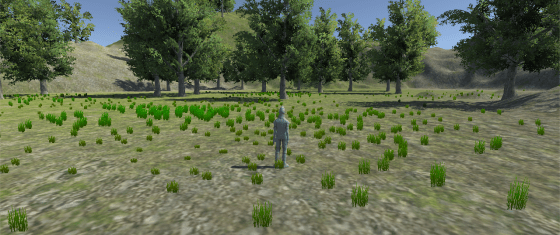
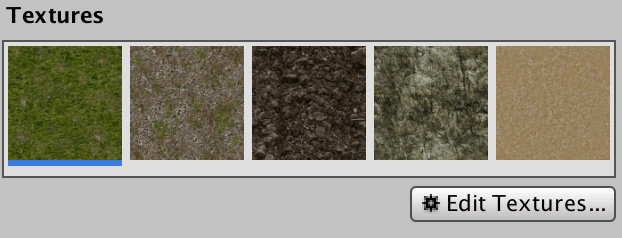
Terrains in Unity don’t just allow us to define their heights. They also allow the painting of the terrain with a combination of different textures. In the Environment asset pack there are a selection of useful textures for painting a natural looking environment. These are a grass texture, several rocky textures and a sand texture.

Trees and grass are also enclosed in the Environment asset pack. These are also painted onto the texture with a brush, or in the case of trees, autofilled to a requested total number.
Once we had our terrain built, we added a character controller from the Controllers asset pack to enable us to walk around in it. We finished the session experimenting with the water prefabs that come with the Environment pack.
Please note that I won’t be at Dojo next Saturday (4th Feb 2017). Nonetheless, you are welcome to attend and join another group for the day if you wish to do so.
This week we did a little code to finish our engine and spent the rest of the time working on our own platformer games using it. The code changes we made to last week’s game engine were:
Hit Boxes:
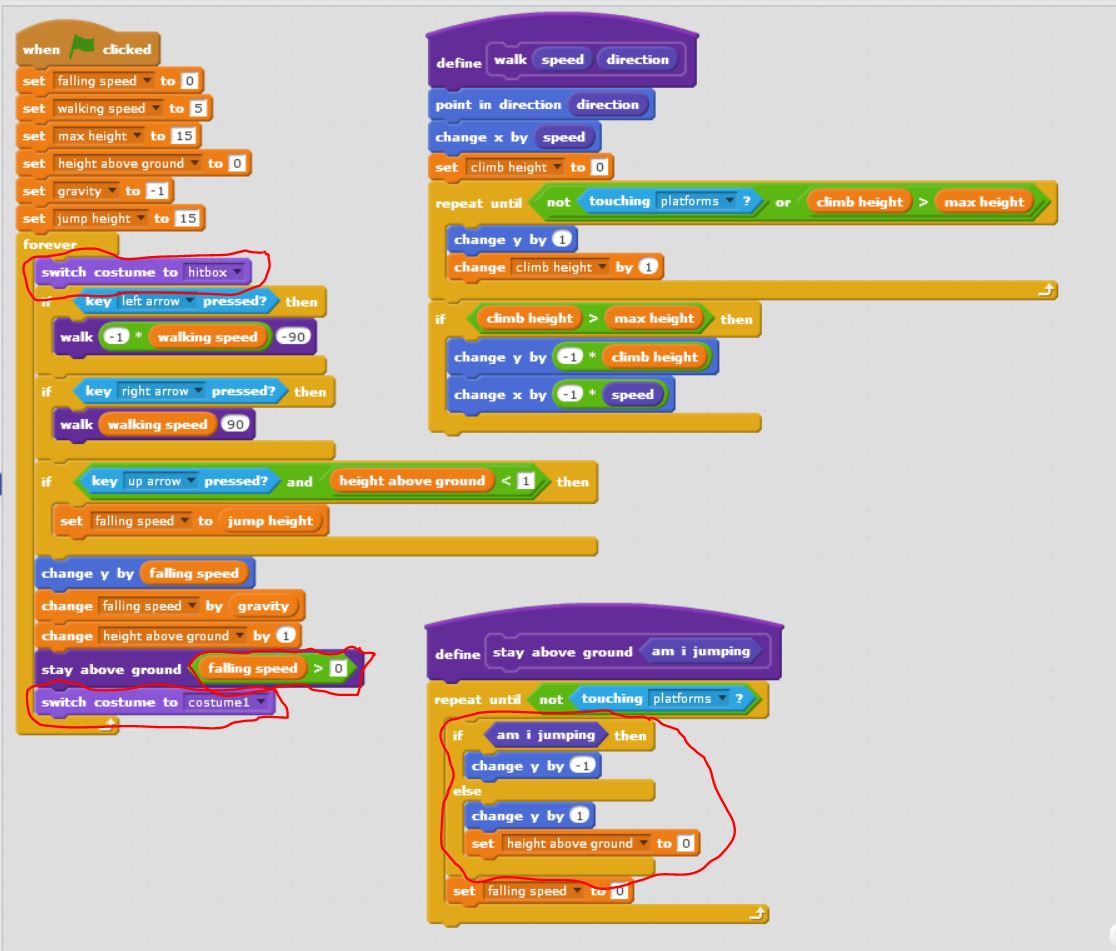
Fixed the platformer so that our character doesn’t get snagged on edges by its whiskers. This we did by learning about hitboxes. The hitbox is just a costume which is rectangular in shape. Before we do our animation, we switch to the hitbox costume and after we switch back to the costume we want.
Head Bumping:
Fixed the platformer so that we can bump our heads against the platforms without popping up. This was by adding a couple of lines to the “stay above ground block” sprite to move down if we are touching the ground while moving upwards.
The entire code for the platformer is below:
DOWNLOAD THE FULL PLATFORM ENGINE CODE HERE!!!
Example Game: Mentor Dash
Finally Mark showed an example game pulling all the elements in together – “Mentor Dash”. It has the same code as we covered, but adds a bit of animation, level changes, sound and some sillyness.
There were lots of brilliant ideas from the ninjas on their own games .. looking forward to seeing what you can do!
This week, in a fun and pretty free-form session, we looked at the Unity standard assets packs to get an appreciations of the wealth of valuable content they contain.
We looked first at the Characters asset pack and tried the first-person, third-person and car controllers.
We also used the Prototyping pack to place some basic house shapes and other basic level layout in our scene.
Finally we played around with some of the effects in the Particles pack to see what was available there.
Next week we will continue with another a session in a similar vein and explore the Environment assets pack and the creation of terrains to model exterior spaces.
All ninjas are encouraged this week to play around with the standard assets, time permitting, and we may look next week at anything you’ve managed to create.
Welcome back everyone and Happy New Year
We had a great day in Coder Dojo on Saturday! We did a huge amount of work developing a maths game in the Explorers group.


We didn’t get to finish our game but we will next before we start learning Paint.net
See can you figure it out for yourself:
We will have a second sprite who reacted positively to correct answers BROADCAST and negatively to wrong answers BROADCAST. You can use whatever sprites you like and change their look whatever way you like.
After all the questions were asked we will have the 1st Sprite SAY – Game Over! and BROADCAST Game over so that the backdrop changed and music played. There are two ways to change the backdrop- see below!
Can you improve our game??! Can you figure out how to subtract or multiply instead of add? Can you get the computer to add three numbers together or give the user 3 level options like: easy, medium or hard?
The notes for the Maths Game are here: cda-s6-week_1_17-mathsgame.pdf
See you all next week and don’t forget to Download Paint.net at WWW.GETPAINT.NET
Martha
This week was quite busy in the Advancers group.
Talk on Coolest Projects
Platform Engine
We started a platform Engine and got most of the code done – next week we’ll finish up the engine (not much code, honest!) and see what it would take to make it into games. A Platform Engine is something that’s useful in lots of types of games or interactive adventures – be they mario-style or escape-room style, etc. Once we have this platform engine done, we can easily apply it to other cases. Think about ideas for platformers for your coolest project!
Things we got working:
Things we didn’t get working (yet):
Next week we can look at the above to see how we might do it, and also what it might take to make it look pretty, add a loading screen, etc.
The full code for today is below (click to view large):
We will finish this next week and make a game out of it! You can download the project from here
Hi Everybody
This week we finished coding our Reaction Game. We then had Reaction Game tournament congratulations to Darragh our winner. I have a few slides from today which are available here reaction and you can also check out our code on Dropbox here.
For the next few weeks we will be building an Attendance/Clock In machine using our Laptops. You will need a version of Python 3, if you don’t have it installed you can download it from here.
See you all next week.