Code for todays session
Category Archives: Uncategorized
Creators – Week 2
Hi folks, this week we started our first project. We have a truck that can drive down a road, avoiding obstacles, or maybe not!
We created a new project in Unity, using the default 3D Core template, and called it Prototype 1.
We then downloaded and imported the assetpack from here: [Creators Teams Channel]
The asset pack already included an existing scene, which had a simple environment already. We them dragged in a vehicle and obstacle from the imported assets. Imported assets aren’t just models; they can contain Unity obstacles, such as colliders, already.

To make the truck move, we made a new C# script called PlayerController. The new C# files Unity creates always look the same (apart from the name of the Class, which matches the new file name):

We added the following code to the Update() method to change the transform of the vehicle:
    // Update is called once per frame
    void Update()
    {
        //  Move our vehicle forward
        transform.Translate(0, 0, 1);
    }
The Unity scripting documentation can be found:
https://docs.unity3d.com/ScriptReference/index.html
and the specific page for the Transform component is:
https://docs.unity3d.com/ScriptReference/Transform.html.
This method on the Transform component that we’re calling, Translate() has several forms. The one we’re using here expects us to provide X, Y, Z values. What we’re saying we want to happen is “Change the transform by moving it 1m in Z every frame.
When we run, the car moves very fast off the end of the road. That’s because we’re running at many frames a second. It’s too fast. Next week, we’ll look at making this frame rate independent and controlling the speed.
Finally, I’ve created a GitHub repo for our projects this year. Up-to-date versions of our projects will always be available here after our sessions: https://github.com/coderdojoathenry/Creators-2022
Creator – Errors Opening a Brand New Project
Hi Folks, there were some people who had a problem even opening a brand new project in Unity today.
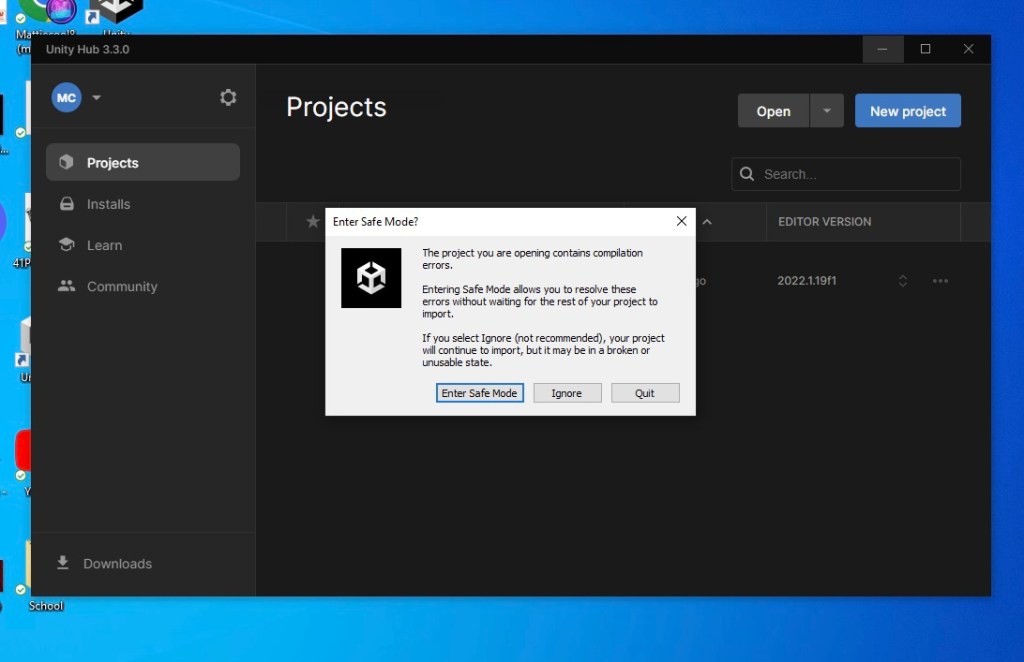
Here are instructions for clearing the package cache. Once done, Unity should re-download what it needs automatically.
Instructions on clearing package cache [Reddit]
Hopefully this corrects the issue.
CoderDojo Athenry Returns on 01 October 2022!

CoderDojo Athenry is returning with our weekly sessions in Clarin College starting Saturday 01 October 2022.
Our sessions will take place between 2:00pm and 4:00pm.
We will run five groups this year Explorers, Advancers, Bodgers, Creators and Hackers.
There is more information about the groups, our location and everything else on our About page.
New members are always welcome. If you are aged between 7 and 17, just come along on the first day and fill out a registration form. Young people aged 12 and under have to be accompanied by a parent/guardian for the whole session.
And don’t forget, CoderDojo Athenry is run by volunteers and is completely free for participants — no membership fees, no weekly contributions.
You should bring a laptop if you have one, but we have some loaner laptops if you don’t.
Explorers

No code for this weeks session, as we will be having a party!!
We will supply food, but please BRING YOUR OWN DRINKS.
As each family has there own policy on fizzy drinks, sugar, caffeine etc it is best if everyone brings their own.
See you all Saturday.
Explorers Week 6, 21st May
Here is the Code for this weeks session
Explorer Week 5 May 14th
Modellers – Week 4
This week we continued with adding more props to our diorama. Of these the gaming chair was the most complex.
To make the five-footed design of chair base we started with a cylinder with twice as many sides and then, after placing an edge loop near the bottom, extruded every second face to form the feet. We then extruded these feet ends a second time and extruded a few more times to form a roughly spherical shape to represent coasters.

The chair seat was just a cube, scaled to the appropriate proportions and then the front and back faces extruded and scaled slightly to round out the shape. We duplicated the seat and moved and rotated it to form the chair back as well.

The arms were created by first duplicating the faces on the left and right of the chair seat, scaling them vertically and moving them up into position. The reason for doing this with copied faces was because it ensured they were perfectly aligned to the rest of the chair. These faces where then extruded with the “Extrude along face normals” command [Keystroke: Alt-E] to give them width. Finally we extruded the back faces of these two arms, down to the bottom of the chair back, by selecting them, going to a side view and using the Ctrl-Right Click command.

We also added a few more simple props. These were all based on cubes, scaled to size and shaped using inset, extrude and edge loops.
This is the final room, from a geometry perspective. We still need to give materials to the objects, light the scene and render a final image.
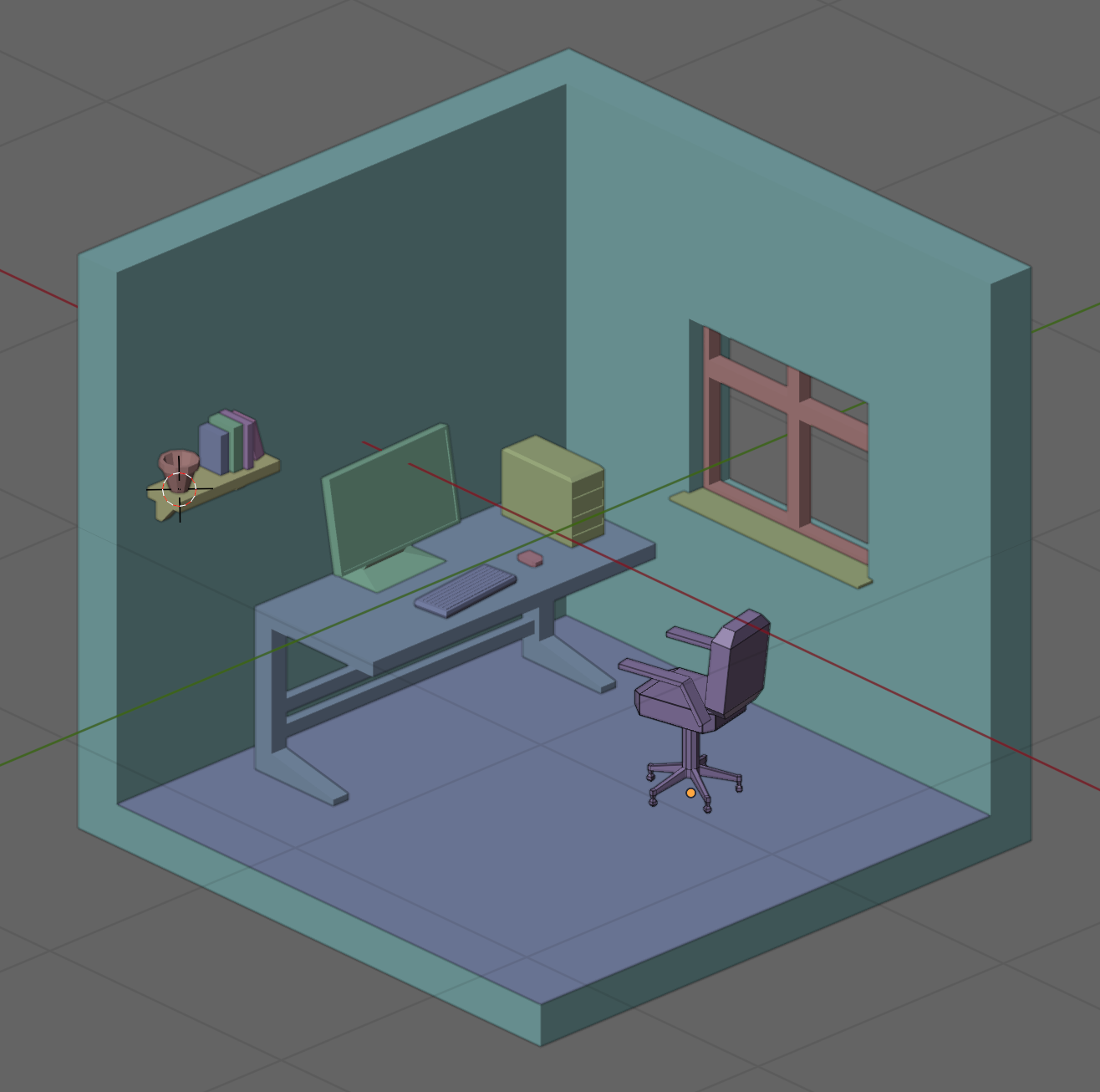
Files for this weeks work-in-progress model can be found on our Sharepoint site.
 CoderDojo Athenry