This week the Python group looked at Functions, Escape Characters and Boolean Operators. We also started to rewrite the Dragon’s Realm game which we will continue with after the break. Don’t forget to look at chapters 5 and 6 of “Invent Your Own Computer Games with Python” http://inventwithpython.com/chapter5.html . Here are my slides from today- python session3
Author Archives: cdathenry
Python Beginners-Week 2: Our First Real Game
We had a good turn out at the python group again today. We did a lot of typing which some of the younger Ninjas found hard going. We won’t be doing that much again for a few weeks. We did a number guessing game which contained some concepts which are used in most computer programs. Our number guessing game is explained in chapter four of “Invent Your Own Computer Games with Python” by Al Sweigart. http://inventwithpython.com/chapter4.html
Scratch Advanced – Week 2 – Lets finish the Calculator.
Hope everyone enjoyed last week.
This week we are going to use a drawing application Paint.net or msPaint, whichever people prefer to use to finish the Calculator off properly.
What we need to do is set the Background in the Calculator to a picture of a real calculator, something like this one…
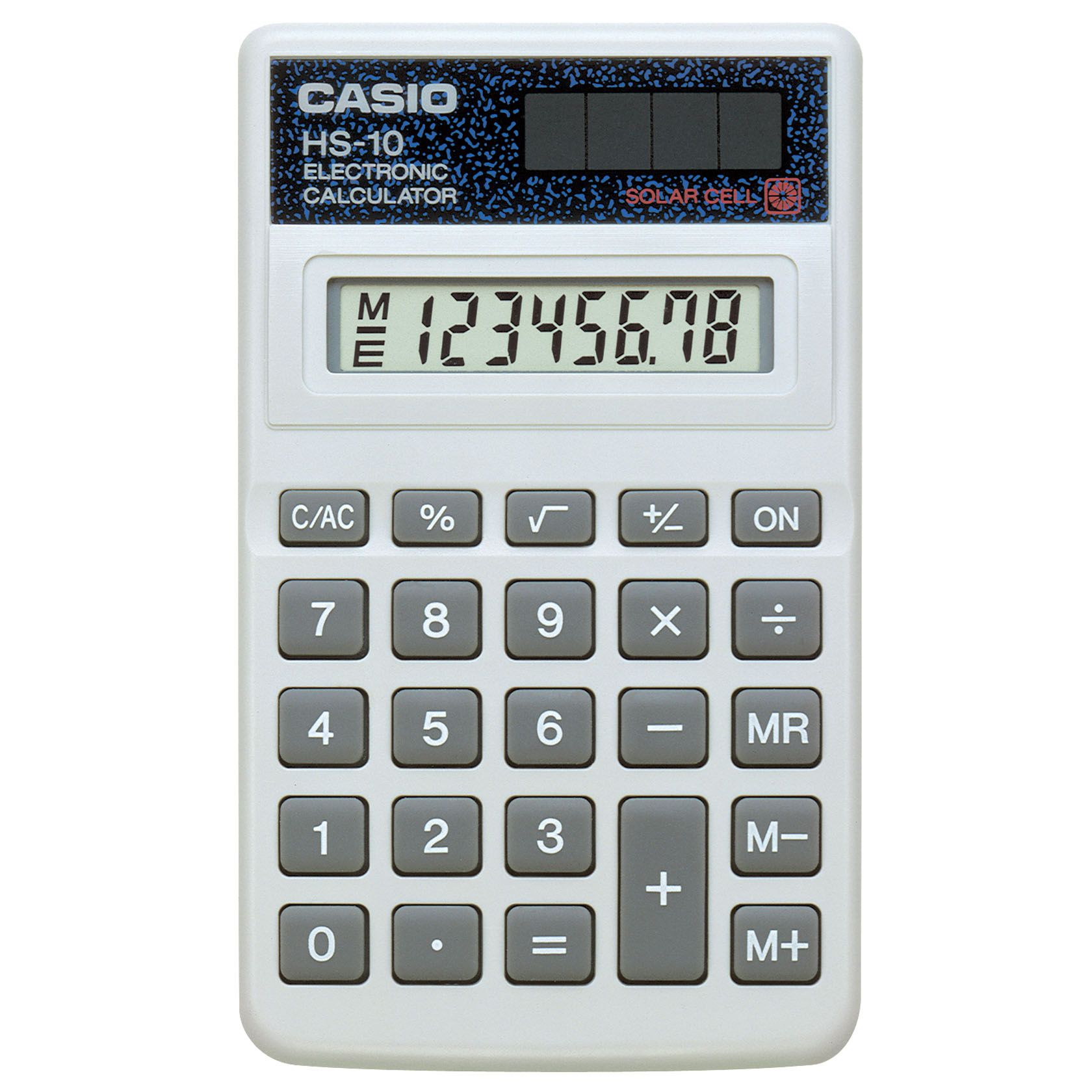
And then using Paint.net or any other graphics tool we are going to cut out the different numbers and save them all of to seperate files and then use these files as the Sprites.
You should end up with loads of these…
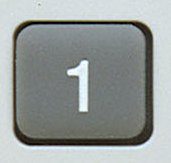

Do one for each number, one for +, -, X and divide. Oh and don’t forget the dot 🙂
If any one is feeling adventurous we might even try and do something with Memory.
Python Beginners-Week 1
We had a slow start to the Python session due to Wi-Fi and installation issues. However once we got moving we managed to cover variables including strings, math operators and inputs and outputs.
Ninjas are encouraged to read the first three chapters of Invent Your Own Computer Games with Python by Al Sweigart, which is available at http://inventwithpython.com/chapters/ .
Next week we will be looking at loops and decisions in a number guessing game and comparing it to a similar scratch program.

Here are my slides from Week-1
session1slides
Scratch Advanced – Week 1 – Calculator.
Hi all and welcome back to what we hope will be an exciting year in Coder Dojo Athenry.
We will be using Scratch 2 this year. So the first thing that we need to do is install it.
There are two Applications that you need to install:
1. AdobeAir
2. Scratch2
I will have all the Versions that I can find on USB, which should cover both Windows and Mac. I have installed the Windows version, so I know that one works. I won’t have tested the Mac version though.
Scratch2 introduces the idea of making your own Blocks of code that you can then use in your programs. So for the first week we are going to try these out and see how they can help us write Code once but use it many times.
And for that we need a project to work on – A Calculator.
- We will learn about Functions (Code Blocks in Scratch2)
- We will learn about passing information into Functions
We are going to design and build a fully functioning Calculator that can Add, Subtract, Multiply and Divide. If you get really adventurous you can add some other functions as well – percentages maybe?
Like you I haven’t written it yet, so it going to be a bit scary tomorrow as we have to make it all up as we go along, but hey, you’re the advanced crowd, and should be able to handle that!
Once we have a fully working version I will update this blog with the full details of how and why we did what we did.
If we can get anything like the following picture, I think we are definitely Advanced…

Everything that you see on this calculator is perfectly possible in Scratch2, we will start with the four basic options of Addition, Subtraction, Multiplication and Division.
CoderDojo Athenry is Restarting!

CoderDojo Athenry is restarting after the summer!
We will have an Information Session on Saturday 28 September at 12:00, and our first coding session of the new season will be on Saturday 5 October at 12:00, and every Saturday afterwards. As always, we will be based in Gairmscoil Mhuire, Athenry.
New members are welcome, both kids and teenagers, and of course we hope our existing members will return also. We will be repeating some topics from last year and adding some new ones. In particular, we hope to have some new topics that will appeal to teenagers.
To register, just come along for the information session or you can come along any Saturday, fill out a registration form, and jump in!
See you there!
Photos from our awards session before we finished for summer, 8 June 2013

This gallery contains 7 photos.
Thanks a million to everybody who participated in CoderDojo Athenry over the 2012/13 season – you made it a fantastic success! Photos: eirephoto.com
Countdown to Pizza!

We have just a few weeks left before we finish up in CoderDojo Athenry for the summer.
Here is a reminder of our upcoming schedule:
- On 18 and 25 May, ninjas continue to work on solo/group projects towards earning belts/certs, with the support of the mentors
- On 1 June, we won’t be open for the bank holiday weekend
- 8 June will be our final week: we will award belts/certificates for your projects, and we will have pizza for everybody!
After that, we will close for the summer and resume in the Autumn.
Scratch Intermediate & Advanced Challenge 18: Start work on your own project!

This week, we started work on multi-week projects!
The goal will be to design and implement your own project, with the support of the mentors, to demonstrate the skills you have acquired over the past few months.
In a few weeks, everyone will get to demo their projects and work towards earning:
- Yellow certificates: for ninjas who already have a yellow Scratch belt and demo a project using those skills
- Blue certificates: for ninjas who already have a blue Scratch belt and demo a project using those skills
- Yellow belts and white belts: only for ninjas who do not already have a belt.
As we discussed, there are also a couple of international CoderDojo contests coming up – discuss with your parents whether you would like to enter.
Here are my notes from the day (PDF): CDA-S2-Challenge18-YourProject.pdf
As usual, get in touch on Twitter or in the comments if you would like the PowerPoint version of the notes.