Modellers – Week 4

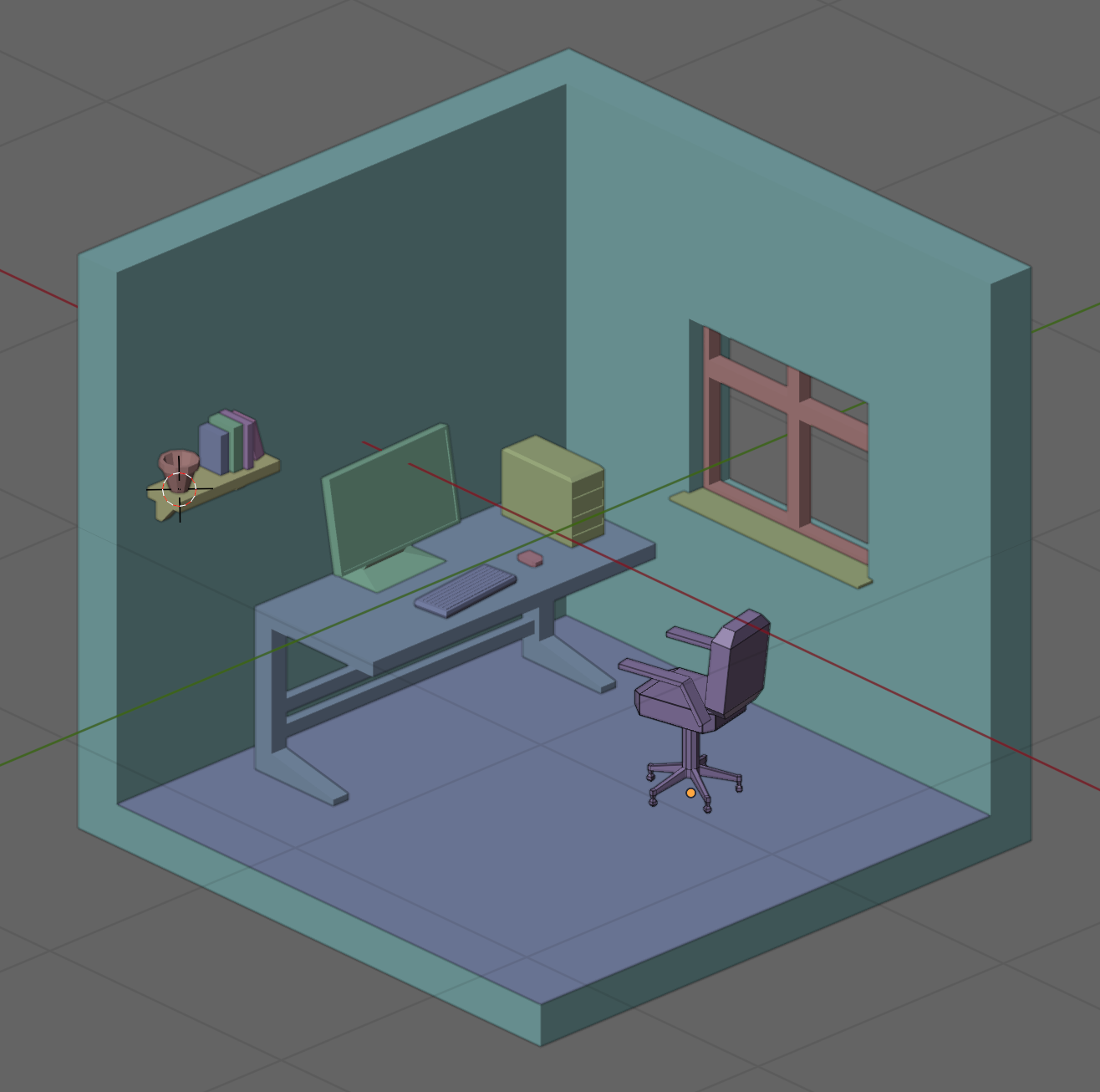
This week we continued with adding more props to our diorama. Of these the gaming chair was the most complex.

To make the five-footed design of chair base we started with a cylinder with twice as many sides and then, after placing an edge loop near the bottom, extruded every second face to form the feet. We then extruded these feet ends a second time and extruded a few more times to form a roughly spherical shape to represent coasters.

The chair seat was just a cube, scaled to the appropriate proportions and then the front and back faces extruded and scaled slightly to round out the shape. We duplicated the seat and moved and rotated it to form the chair back as well.

The arms were created by first duplicating the faces on the left and right of the chair seat, scaling them vertically and moving them up into position. The reason for doing this with copied faces was because it ensured they were perfectly aligned to the rest of the chair. These faces where then extruded with the “Extrude along face normals” command [Keystroke: Alt-E] to give them width. Finally we extruded the back faces of these two arms, down to the bottom of the chair back, by selecting them, going to a side view and using the Ctrl-Right Click command.

We also added a few more simple props. These were all based on cubes, scaled to size and shaped using inset, extrude and edge loops.

This is the final room, from a geometry perspective. We still need to give materials to the objects, light the scene and render a final image.
Files for this weeks work-in-progress model can be found on our Sharepoint site.

Modelers – Build and Rig a Basic Humanoid Character – Week 15

This week we continued with our super-simple rigged humanoid character. We texture painted the character, animated them, added a rigged camera and finally rendered everything to video.

Here are the video instructions:

Here’s a link to the folder where we store all our files . You’ll find a new file in there called humanoid_wip2.blend, containing everything we did this week.

Modelers – Build and Rig a Basic Humanoid Character – Week 14

This week we build a super-simple humanoid character mesh using metaballs, a new modelling technique. We then rigged the character for animation with a simple armature.

Here are the video instructions:

Here’s a link to the folder where we store all our files . You’ll find a new file in there called humanoid_wip.blend, containing everything we did this week.

As an aside, my wife and I were playing with this character. Here’s what we did:

  1. Exported the mesh as an FBX (Select the mesh, File|Export|FBX and choose “export selected”)
  2. Loaded that FBX file into Mixamo.com
  3. In Mixamo, identified the key parts of the body and allowed it to process
  4. Attached a breakdancer mo-cap to the model
  5. Exported it again from Mixamo
  6. Imported it back into Blender (File|Import|FBX)
  7. Added some props (a hat and glasses) and made sure to add them to the head vertex group
  8. Texture painted the character
  9. Added some basic props, a ground, some cardboard and graffiti walls
  10. Animated the camera a little
  11. Imagined the music in our heads… 🙂

Hopefully you might be encouraged to try something like this yourself!

Modelers – Free-for-All Modelling – Week 12

This week we did things differently and had a free-for-all session where we all built items to put into a collectively sitting room. We shared some 3D scanned humans to allow for proper scaling of items in our world. The screenshot below shows “Bettina” sitting on an ottoman in my pretty empty room waiting for everyone else’s creations to arrive. We’ll continue this next week.

Here’s a link to the folder where we store all our files . You’ll find a new file in there called Sitting Room.blend, containing everything I made this week.

Modelers – Coin Pile Part 3 – Week 8

This week we finished our animation by texturing the plane to look like a tabletop and adding a background image of a desert island.

We also saw how to add an add-on to Blender, namely Lily Surface Scraper.

Here are the video instructions:

Here’s a link to the finished animation:

Here’s a link to the folder where we store all our files . You’ll find a new file in there called dubloon_wip3.blend, containing everything we did this week.